49
ALARM
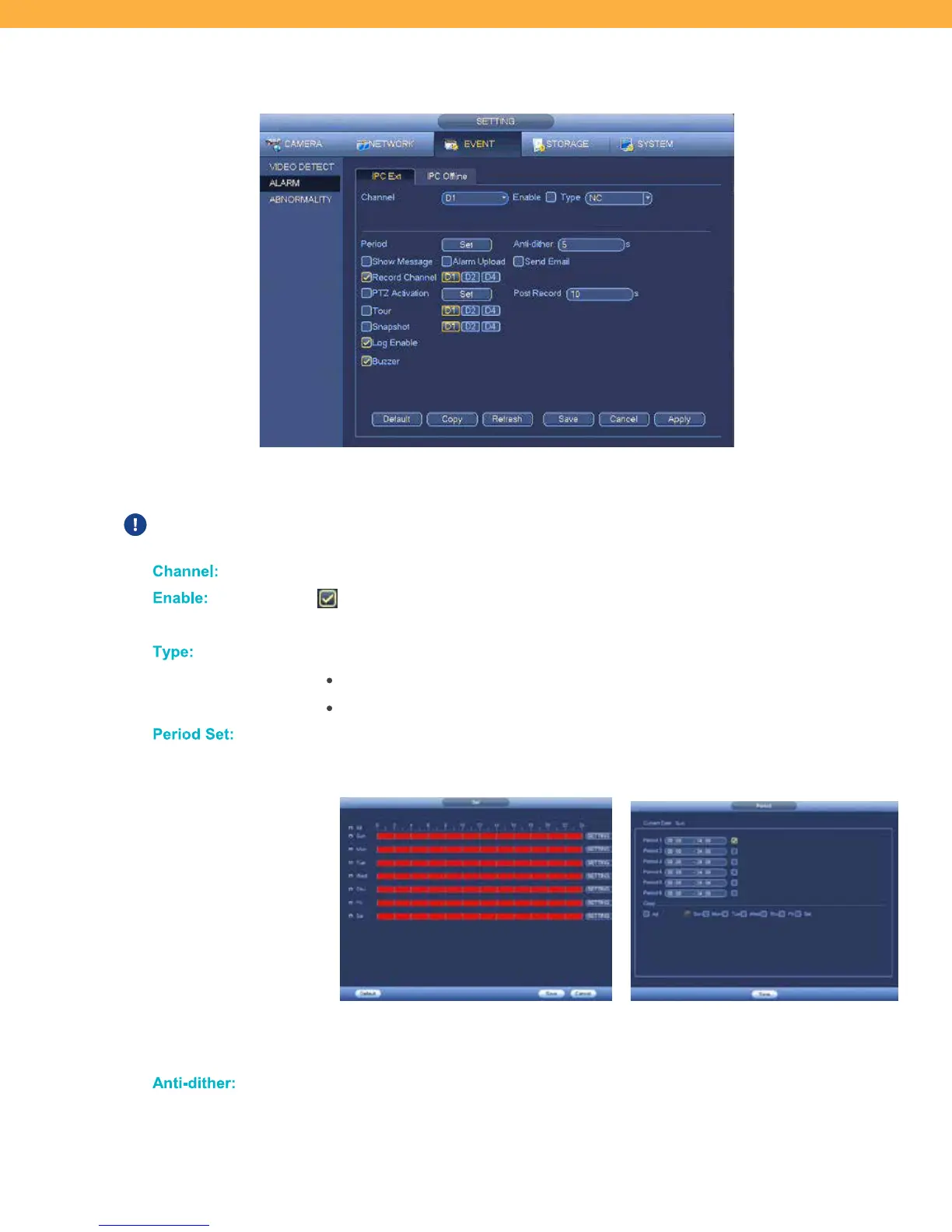
IPC Ext Tab
IPC Offline settings allow you to select how the system will react when the connection between the
cameras and system is interrupted.
PTZ and Tour features require a PTZ camera – not included in Defender® kits.
Click to select the Channel (Camera) for setup.
When selected the alarm is enabled and will sound when the selected Channel
(Camera) disconnects from the system.
Click the drop down to select from the options:
NC: Connection is normally closed and activated when opened (Default)
NO: Connection is normally open and activated when closed
Click to set a schedule for when events will be monitored on the selected Channel
(Camera).
Click the period for each day to set the period (red is enabled – blue is disabled) or
click Setting to select the Period and Days.
This is the number of seconds the alarm will sound when a Channel (Camera)
disconnects from the system. Click the field to enter the number of seconds.



 To Next Page