19
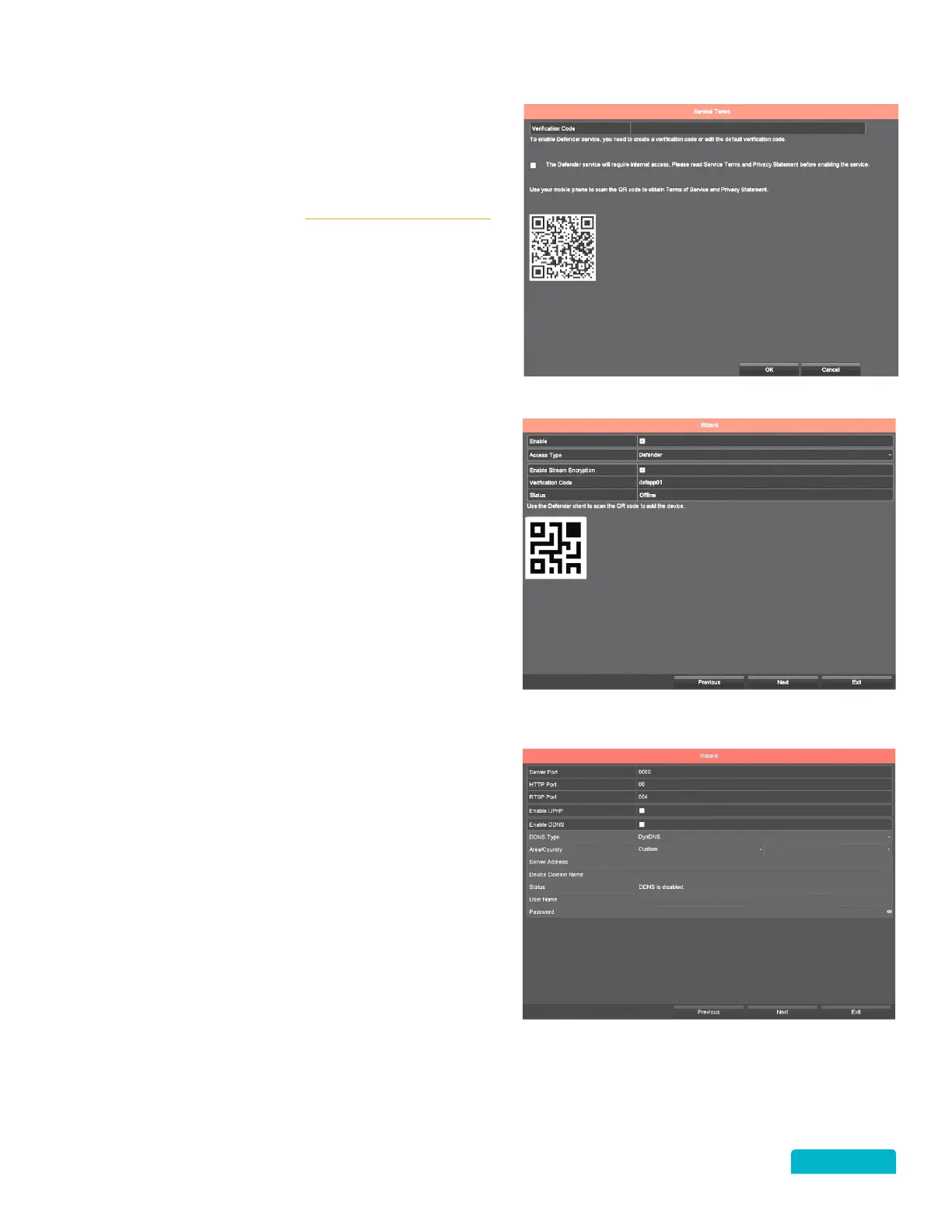
• Enter the Verification Code
• You can use the QR Code on this screen to
view the Defender Privacy Policy or you can
view them from www.defender-usa.com
• Click the Service Terms and Privacy
Statement confirmation checkbox to
acknowledge that you have read them.
• Click OK to save your selections and to
move to the next screen.
• Verify the Enable checkbox is selected.
• You can use the QR Code on this screen to
add the DVR on the mobile. We recommend
completing the Setup Wizard before
installing the mobile app. This screen can be
accessed through the Defender 4K Menu
and the QR Code is also attached to the
bottom of the DVR.
• Click Next to move to the next screen.
•
The Status will remain Offline until the
next screen is accessed.
NETWORK PORTS
This screen shows the details and status of the
Network ports.
Changes are only required for advanced users.
Click Next to move to the next screen.



 To Next Page