21
9 USING YOUR SYSTEM
9.1 LIVE VIEW
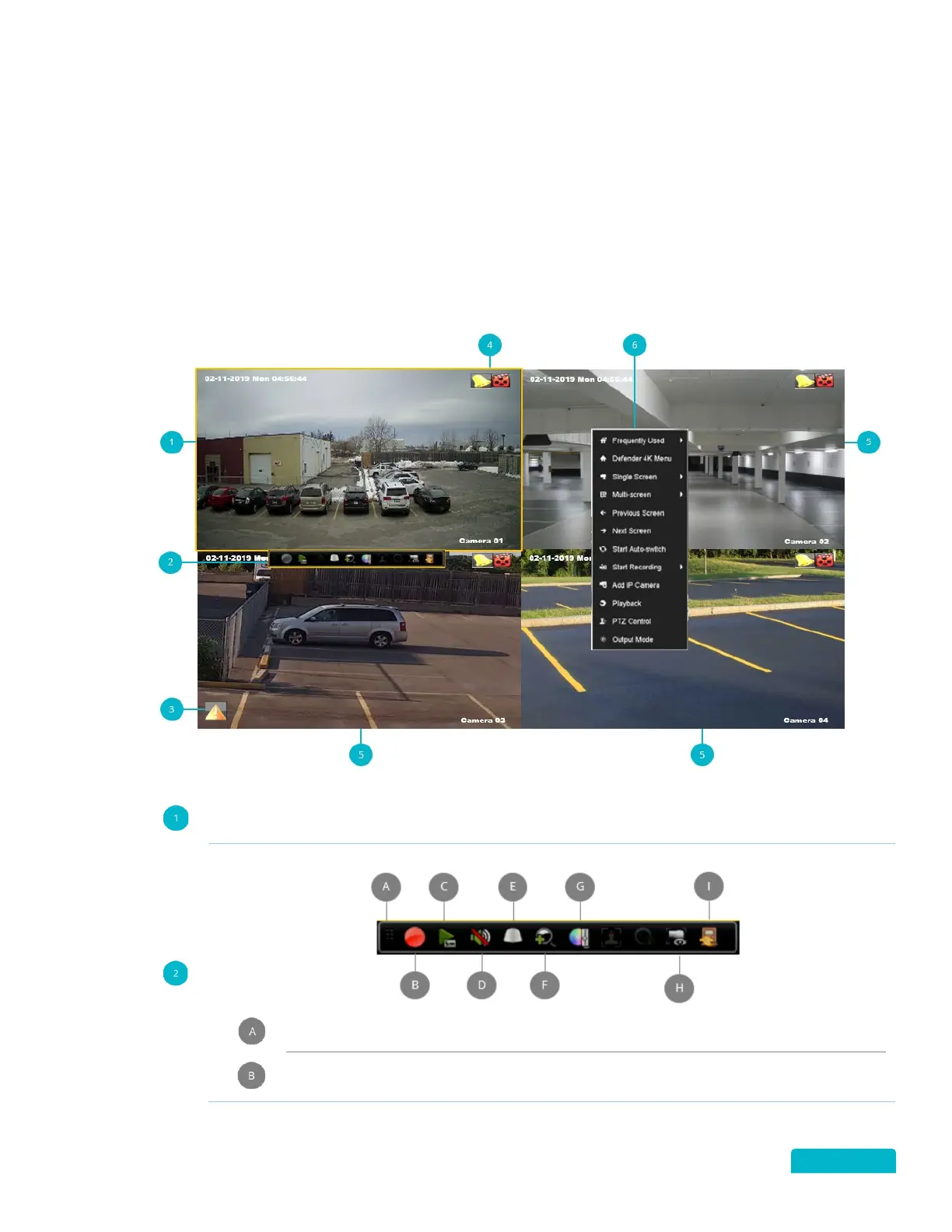
The Live View screen is the main screen on your DVR, from here you can:
Change the camera view options
Use the Toolbar to play recorded footage, zoom in/out on the image, change the image settings,
and more
Access the Quick Access and Defender 4K menus
Active View Window: Move the mouse to ta camera view and click (left button) to select the
camera and to access the Toolbar.
Active View Window Toolbar:
Move the Toolbar to a different location on the Live View screen (click and drag).
Click to Stop/Start Recording.



 To Next Page