29
10 PLAYBACK
RIGHT CLICK MENU > DEFENDER 4K MENU > PLAYBACK
From this screen you can view all recorded footage. Features include viewing, creating clips, assigning tags, and
exporting footage to an external storage device.
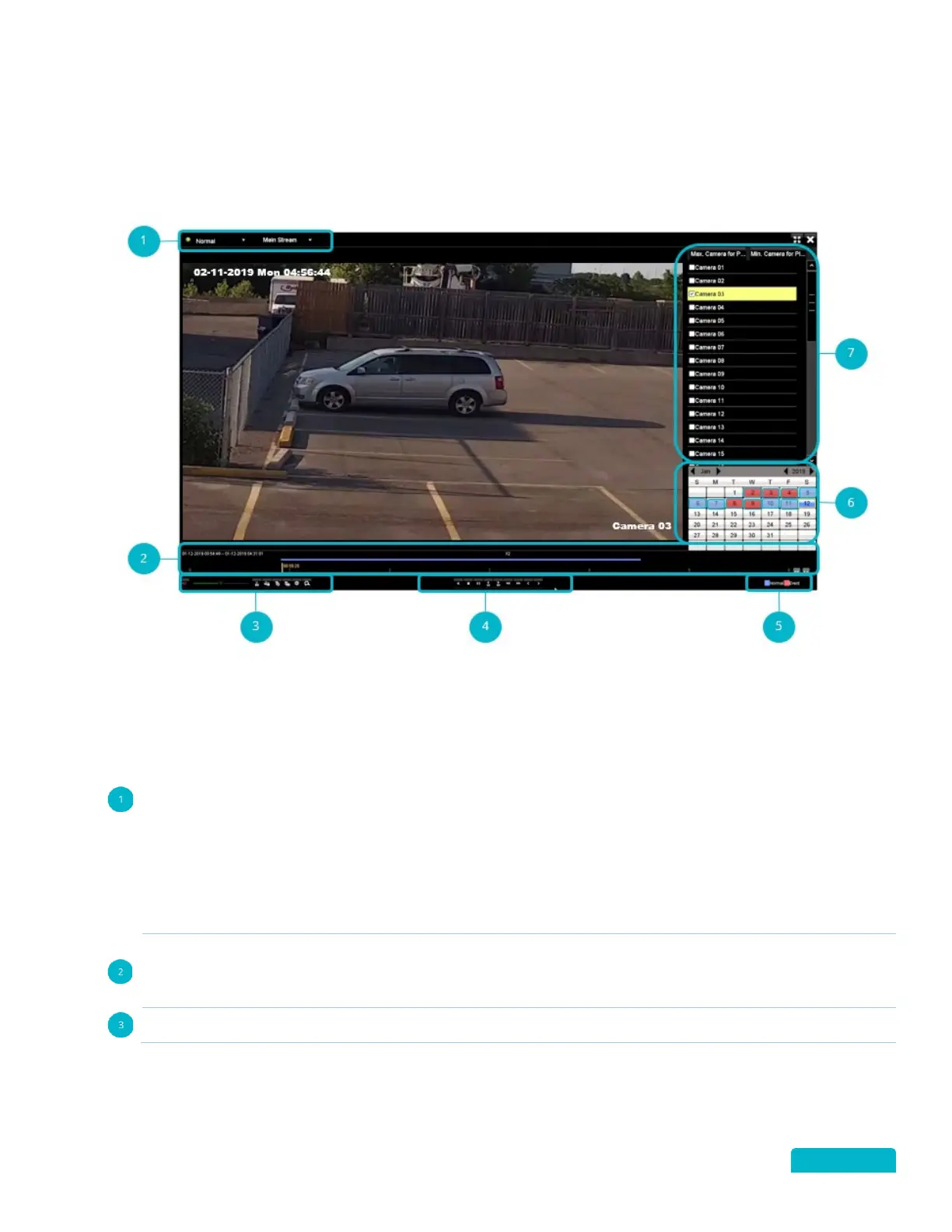
Use the drop down to select the type of playback. Choose between:
• Normal – all normal footage will appear in the list
• Event – all event footage will appear in the list
• Tag – only tagged footage will appear in the list
• Smart – shows footage in fast forward (skips to action)
• Sub-periods – shows a grid of footage for cameras with different time stamps
• External Files – shows all files located on a USB flash drive
Use the other drop-down to select between Main Stream and Sub Stream footage.
• Main Stream – higher steam resolution and frame rate.
• Sub Stream – low/standard stream resolution for lower bandwidth situations (example: high
internet traffic can cause lower bandwidth)
Playback Timeline: The date and time stamp of the footage appears in this area. Use the progress bar
(click and drag) to move through the recorded footage. Use the Arrow buttons to the right to Zoom
IN/OUT on the timeline.



 To Next Page