11
BASIC SYSTEM SETUP
PLEASE READ FIRST!
Verifyallaccessoriesandcompletethemonitorandcamerasetupbeforeinstalling
thecameras.
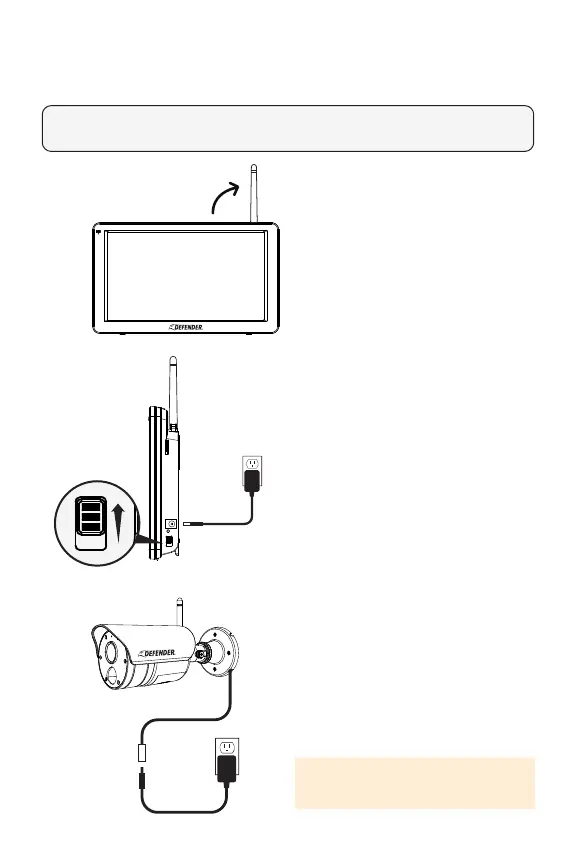
1. Foroptimalperformanceand
range,lifttheantenna.
2. ConnectthemonitortotheAC
poweradapter,thenconnect
theotherendoftheadapterto
astandardoutletandconrm
thepowerbutton,locatedonthe
right-handsideofthemonitor,is
intheONposition.
3. ConnecteachcameratotheAC
adapter,thenconnecttheother
endoftheadaptertoastandard
outletandextendthecamera’s
antennaintotheuprightposition.
4. Completecameraandmonitor
setup.
IMPOTRANT: The camera power
supply is not waterproof.



 To Next Page