34
PLAYBACK
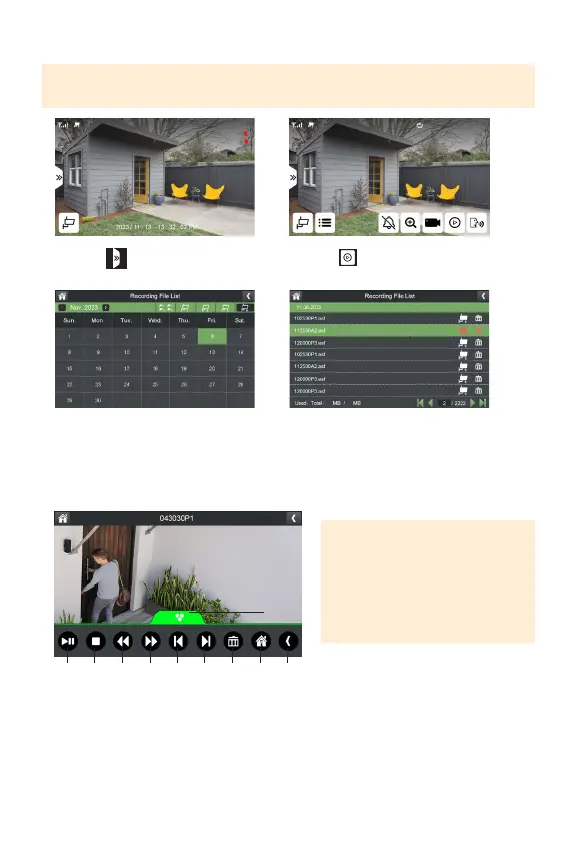
1. Select
3.Selectthecameraanddayyou
wishtoplaybackrecordingsfrom.
Dayswithrecordingswillbe
highlightedingreen.
2.Selecttoaccessthe
RecordingFileList.
4.Taptherecordingtoplayback.
1. Playandpauserecording
2. Stopplayback
3. Rewindplaybackupto16x
timesspeed
4. Fast-forwardplaybackup
to16xtimesspeed
5. Gotopreviousrecording
6. Gotonextrecording
7. Deleterecording
8. Returntoliveview
9. Returntorecordinglelist
10. Taptominimizethemenu
1 32 4 5 6 7 8 9
10
TIP: To delete all recordings,
format the SD Card.
TIP: Playback can also be accessed by pressing the Playback button on the top of
the monitor.
PLEASE NOTE: In playback mode,
to turn the volume on or o, use
the volume buttons at the top of
the monitor.



 To Next Page