14
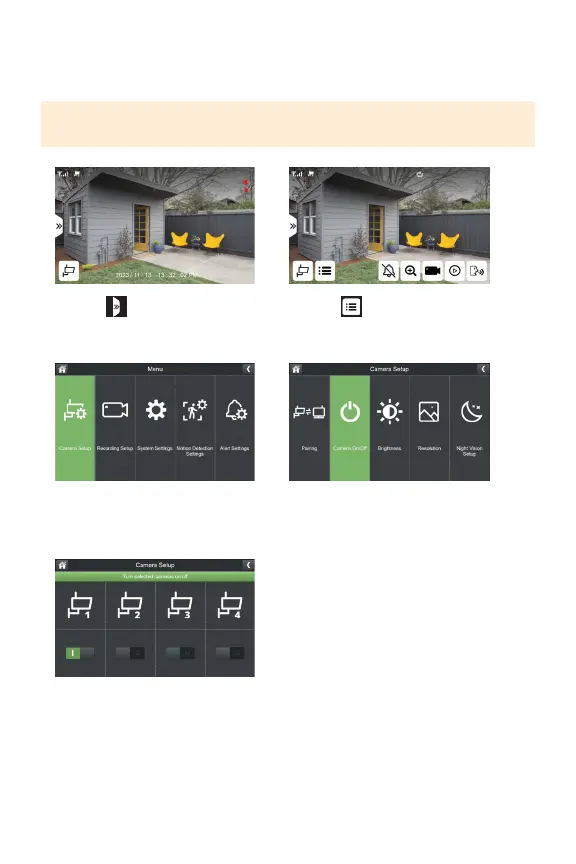
CAMERA ON/OFF
Yoursystemhasaprivacyfeaturebuiltintoallowyoutostoprecordingfromthe
selectedcamerawithoutunpairing.
PLEASE NOTE: If you turn your camera o you will not be able to live view or record
footage until the camera is turned back on.
1. Select
3. Select Camera Setup
5.Toggleonorothecamera(s)
basedonyourpreference.
2. Select
4.SelectCameraOn/O



 To Next Page