20
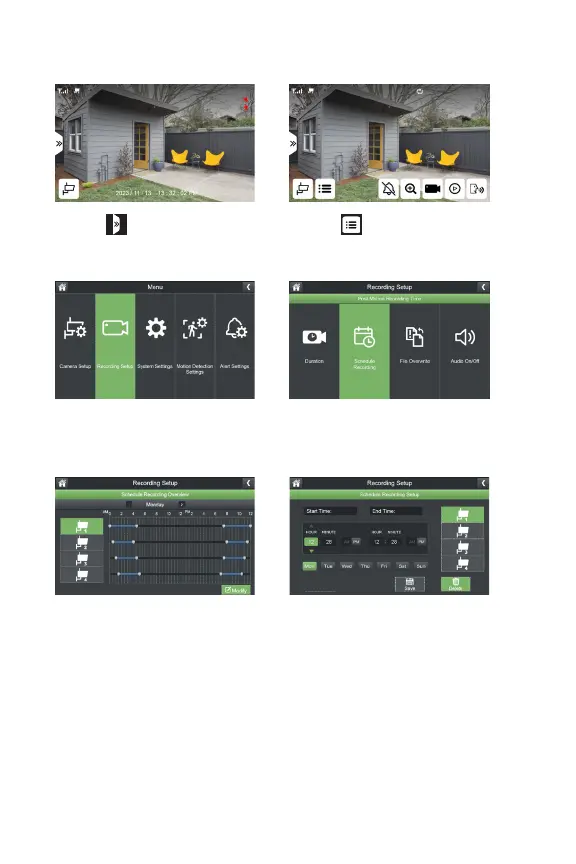
DELETING A RECORDING SCHEDULE
1. Select
3.SelectRecordingSetup
5.SelectModify 6.Selectthecamera(s),day(s)of
theweekandinputthestartand
endtimeofapreviousrecording
schedule.SelectDelete.
*Repeat to delete additional
recording schedules.
2. Select
4.SelectScheduleRecording



 To Next Page