17
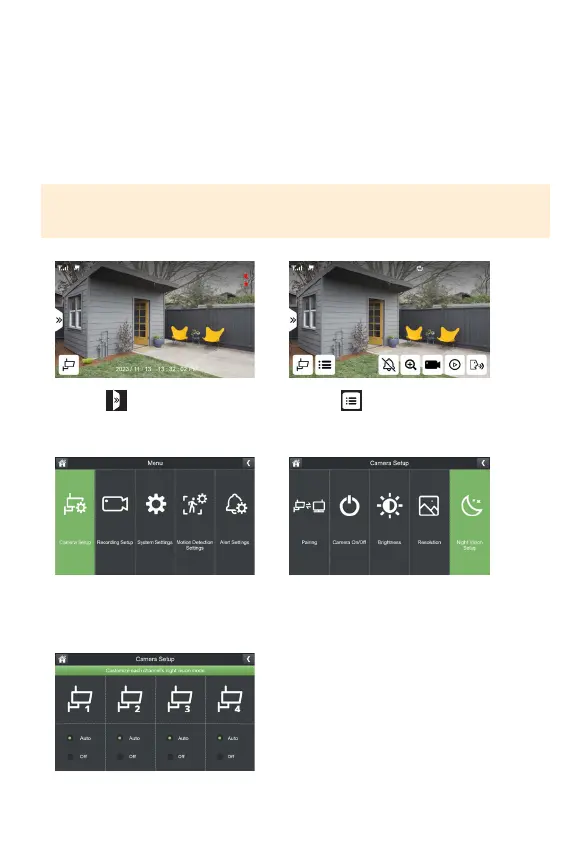
NIGHT VISION SETUP
Your camera’s default night vision is set to auto.
Auto:Thecamerawillrecordfullcolorduringthedayandblackandwhiteatnight.
O:Thecamerawillrecordincolorduringtheday.Atnight,thecamera’srecording
colorwillbedependentonambientlighting.
PLEASE NOTE: When Installing your camera indoors pointing outside through a win-
dow, select O to avoid a glare or reection in your live view and recorded footage.
1. Select
3. Select Camera Setup
5.Selectyourpreferrednightvision
settingforeachcamera.
2. Select
4.SelectNightVisionSetup



 To Next Page