13
CAMERA SETTINGS
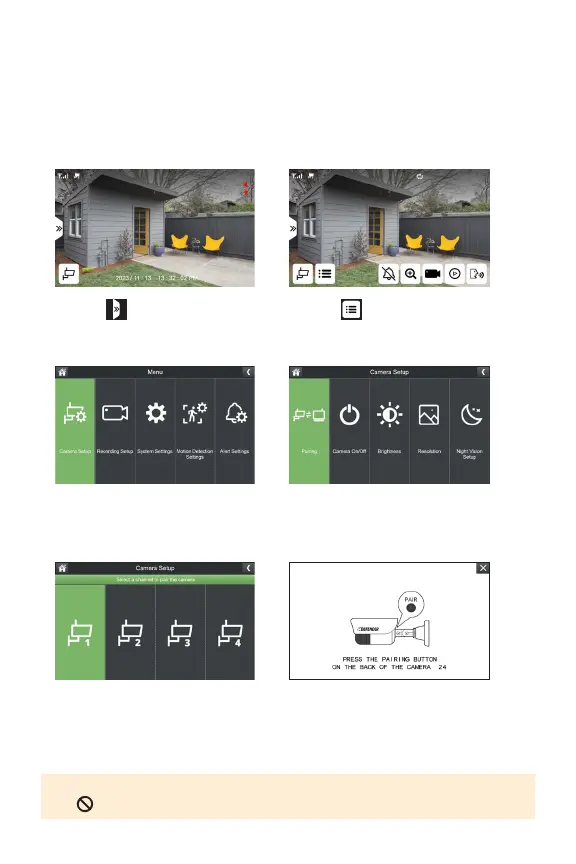
CAMERA SETUP - PAIRING
Yourcamerascomepre-pairedtoyourmonitor.Ifyouhavepurchasedanadditional
cameraorwanttoassignthecamera(s)toadierentchannel,completethefollowing
steps.
1. Select
3. Select Camera Setup
5.Selectachanneltopairthe
camera.
2. Select
4.SelectPairing
6.Pressthepairingbuttonfor3seconds
andrelease.Waitupto1minforyour
camerastosynctoyourmonitorand
displayyourfootage.
TIP: To unpair a camera(s), press and hold the pairing button on the camera until
the appears.



 To Next Page