19
SCHEDULE RECORDING
IMPORTANT: When a recording schedule is set, your camera(s) will record
continuously during that period and override any motion detection settings.
SETTING A SCHEDULE
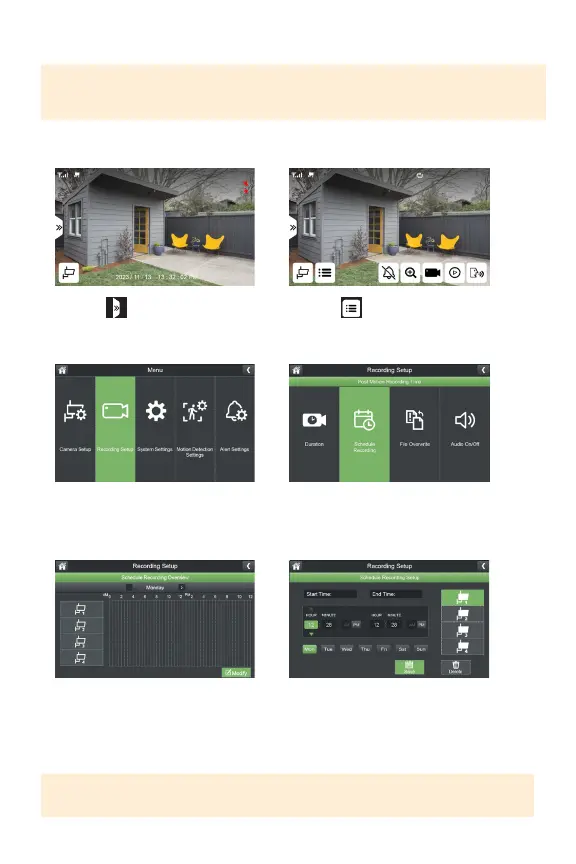
1. Select
3.SelectRecordingSetup
5.SelectModify 6.Selectthecamera(s)andday(s)
youwanttosetarecordingorand
adjustthestartandendtime.Click
Savetoapplythechanges.
TIP: You can create as many recording schedules as desired. A recording schedule
can be continuous or blocks of time during the day.
2. Select
4.SelectScheduleRecording



 To Next Page