18
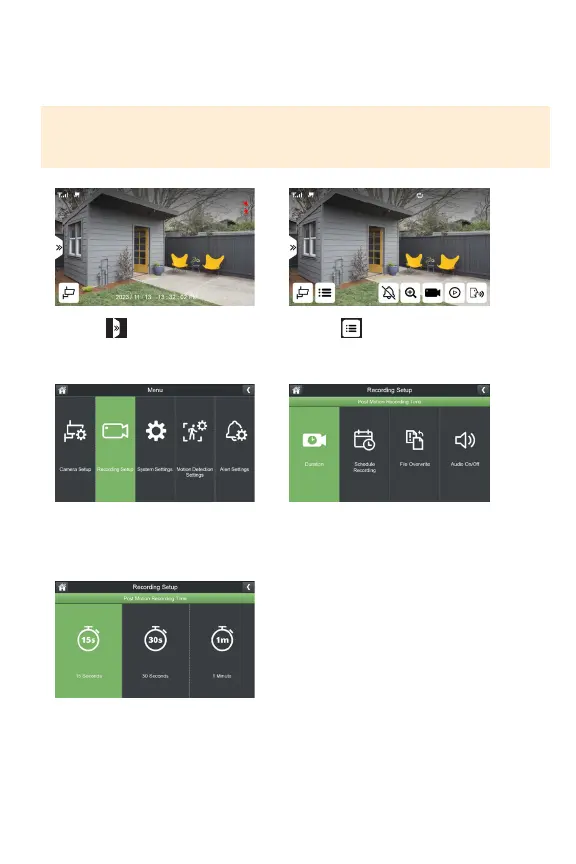
RECORDING SETUP
Duration: Selectthelengthoftimethecamerawillrecordwhenmotionisnolonger
detected.Thedefaultsettingis15seconds.
1. Select
3.SelectRecordingSetup
5.Selectthedurationoftimethe
camerawillrecordwhenmotionis
nolongerdetected.
2. Select
4.SelectDuration
IMPORTANT: By default, the system is set to record on motion only. Make all neces-
sary changes based on your preference. Please note, when setting a manual recording
or scheduled recording, this will override all motion recording settings.



 To Next Page