7
GET TO KNOW YOUR DEVICE
ThissystemdoesnotconnecttotheInternetoramobileapp.Withyourprivacyin
mind,footageissavedonthelocalmicroSDcard.
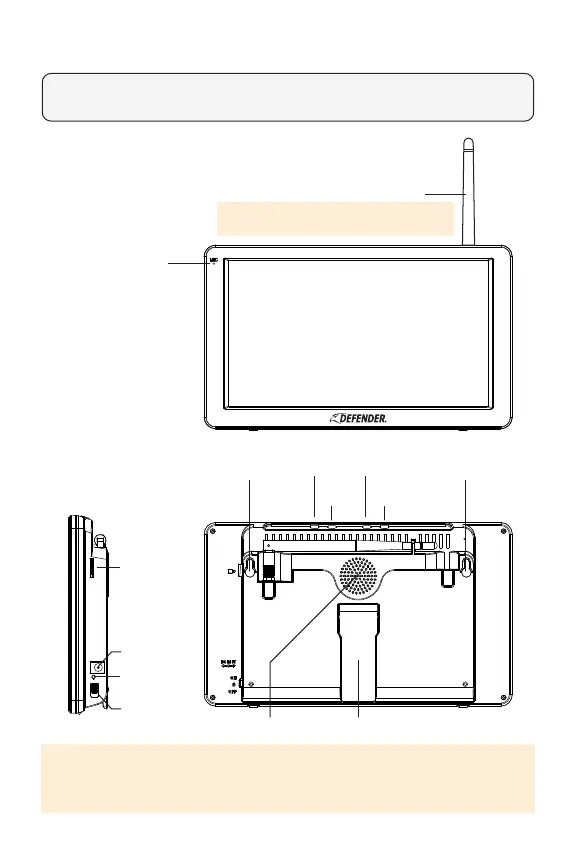
10.1″ TOUCHSCREEN MONITOR
Microphone
Antenna
(For optimal performance and to avoid range and
connection issues, always keep your antenna lifted)
MountingHole MountingHole
Sleep
VolumeUpPlayback
VolumeDown
StandSpeaker
MicroSDor
TFCard
PowerPort
PowerIndicator
Light
PowerSwitch
PLEASE NOTE: When Sleep button is pressed the monitor screen will turn o until
motion is detected in front of the camera(s). Once motion is no longer detected
the monitor will turn back o.



 To Next Page