31
ALERT SETTINGS
TherearetwotypesofAlerts-MonitorandCamera(s)
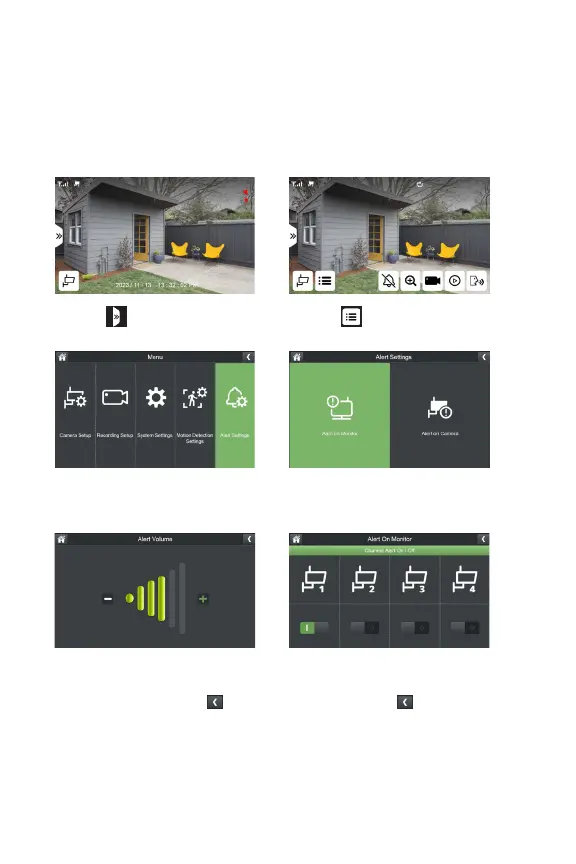
MONITOR ALERT
Whenmotionisdetectedononeormorecameras,themonitorwillbeep.
1. Select
3.SelectAlertSettings
5.SelectAlertVolumetoadjustthe
levelofsoundonyourmonitorusing
the–and+symbols,select once
complete.
6.SelectChannelAlertOn/Otoselect
whichcamera(s)willtriggeranalerton
themonitor,select once complete.
2. Select
4.SelectAlertonMonitor



 To Next Page