32
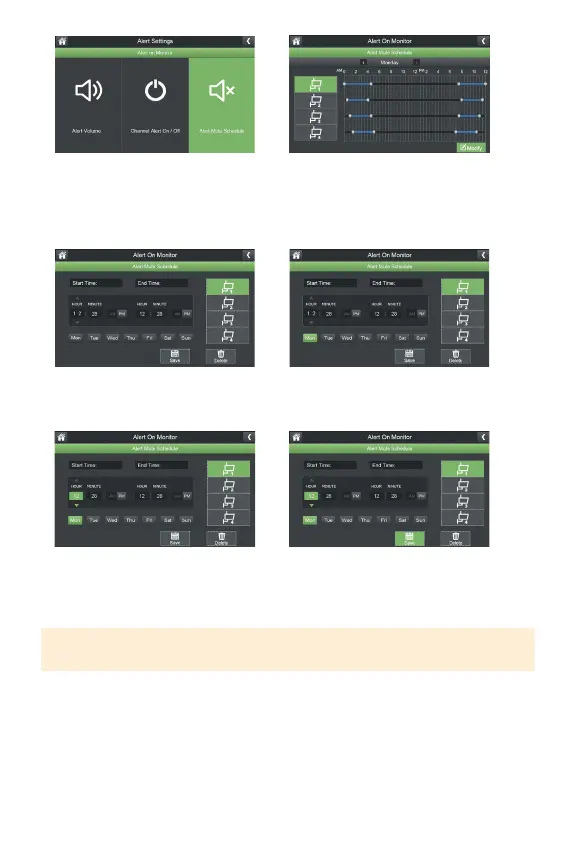
7.SelectAlertMuteScheduletoset
ascheduleofwhenyouDONOT
wantthemonitortoalertyouto
motion.
9.Selectthecamera(s)youwishto
setaschedulefor.
11.Adjustthestartandendtimesto
mutenoticationsformotionalerts.
12.ClickSavetosaveyourschedule.
8.SelectModifytosetaschedule.
10.Selectthedaysoftheweekyou
wishthescheduletoapplyto.
TIP: To remove the schedule, select the camera(s) and dates you wish to delete the
schedule for, put the times you wish to delete and select Delete.



 To Next Page