22
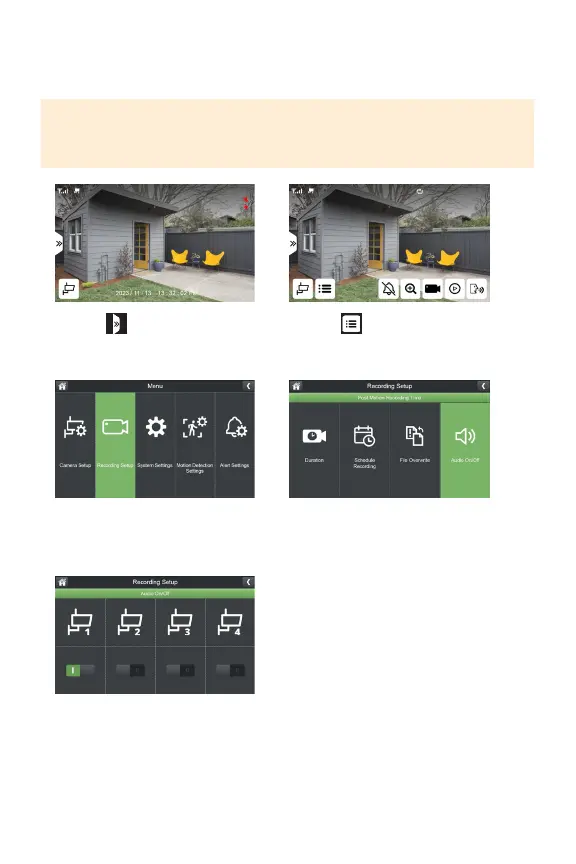
AUDIO ON/OFF
Yourcameraisdefaultedtorecordaudio.Toadjustthissetting,followthesteps
below.
PLEASE NOTE: This function only turns o audio recording only. Audio will be
played in live view. To turn o audio in live view mode, refer to “ LIVE VIEW “ to
turn o monitor audio.
1. Select
3.SelectRecordingSetup
5.Turnon/oaudiorecordingforeach
camerabasedonyourpreference.
2. Select
4.SelectAudioOn/O



 To Next Page