9
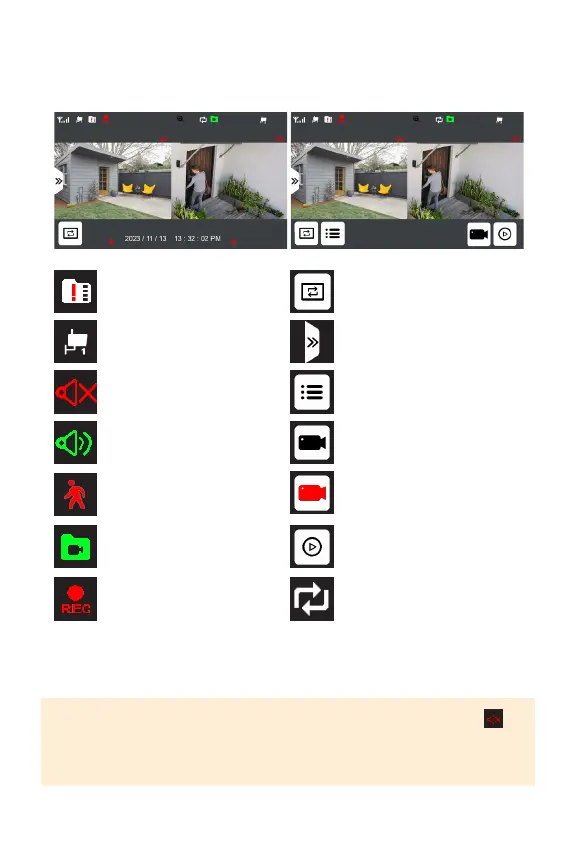
LIVE VIEW
MULTIVIEW MODE
NoMicroSDcardinserted
Camerachannel
Cameravolumemuted
Cameravolumeon
MotionRecordingActivated
Overwriterecordings
Newrecordingssavedto
MicroSDcard.
Cameraisrecording
Entersequencemode(audio
willonlyplayfromtheactive
camera)
OpenQuickAccessMenu
Open Menu
Manuallystartrecording
on all cameras
Manualrecordingonall
camerasin-progress
Enterplaybackmenu
PLEASE NOTE: Cameras can be muted and unmuted in multiview by tapping
When more than one camera is paired, your monitor will only provide sound from
the active camera. All cameras will continue to record audio, even if the camera is
muted in live view mode.



 To Next Page