26
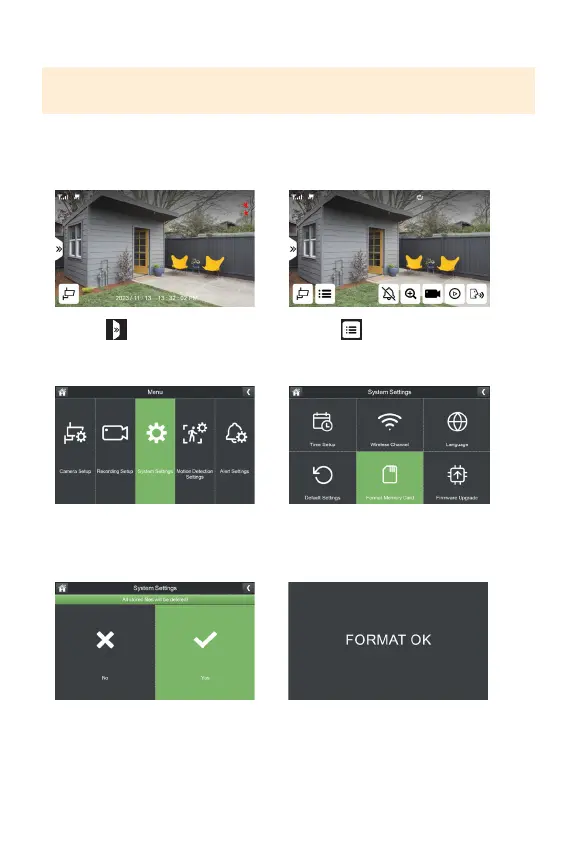
FORMAT MEMORY CARD
IMPORTANT: Formatting your MicroSD card will delete all recordings. This cannot
be reversed.
FormattingyourSDcardmaybenecessarywhenyoureceiveanerrorindicatingthe
SDcardiscorruptedorwhenswappingSDcards.ToformatyourSDcardplease
followthestepsbelow.
1. Select
3.SelectSystemSettings
5. Select Yes 6.Systemwillconrmwhenformatting
iscomplete
2. Select
4.SelectFormatMemoryCard



 To Next Page