26
Main Menu
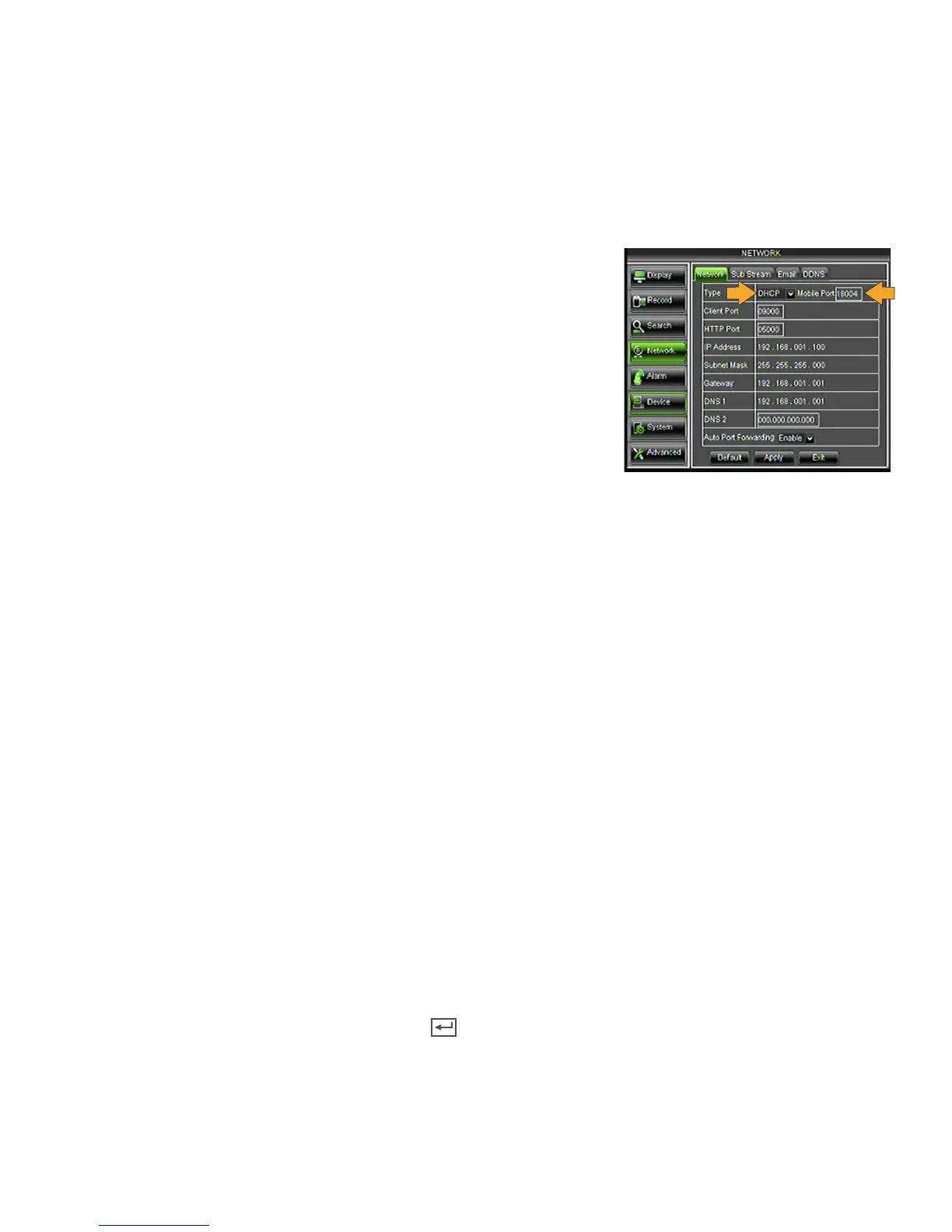
Network Tab
The NETWORK SETUP menu allows you to configure all the settings necessary to view your DVR online. You can
configure the way the DVR acquires an IP address, adjust which ports are used to communicate with the DVR, adjust
your DNS as well as set your information for a DDNS account.
Type
Determines how the DVR will acquire an IP address; DHCP, PPPoE or Static.
• DHCP - (Dynamic Host Configuration Protocol) address is the most
common setup for home or office networks. This allows the DVR to
automatically receive an IP address from the router. By default the IP
mode is DHCP.
• PPPoE - Used for DSL services where individuals connect to a
DSL modem. It is recommended to store the PPPoE information in
the router, if the PPPoE information is not stored in the router, the
DSL modem will need to be configured. If you are using a PPPoE
connection, contact your Internet Service Provider for your PPPoE
name and password.
• Static IP - Static IP addresses are manually assigned by an administrator. A static IP address is beneficial if your
internal IP address changes often. Most home or office networks today do not use static IP addresses. If you are
unsure of whether you need a static or dynamic IP address, please contact your network administrator.
Changing the IP Type:
1. Select the TYPE drop down list and choose an IP Type.
2. Click APPLY at the bottom of the screen to save your changes.
Mobile Port
Allows you to adjust which port your Smartphone will be viewing from. Port forwarding on the router must be
configured for this port for mobile viewing on a Smartphone. The MOBILE port default setting is 18004.
Client Port
This port is used to transmit images from the DVR. It is recommended that this port remain on port 9000.
HTTP Port
This port is used to initiate communication to the DVR. The HTTP port is entered at the end of the IP address to
connect to the DVR. If using default port 5000, you will need to add that port to the end of the IP address when
typing it into the web browser. (Ex. If the IP address is 192.168.1.103 you would type http://192.168.1.103:5000 in
the address bar of Internet Explorer).
Changing the HTTP Port:
1. Left click in the HTTP Port field, the keyboard will open.
2. Enter the new number, then click the ENTER key .
3. Click APPLY at the bottom of the screen to save your changes.



 To Next Page