40
Playback
Playback through the DVR
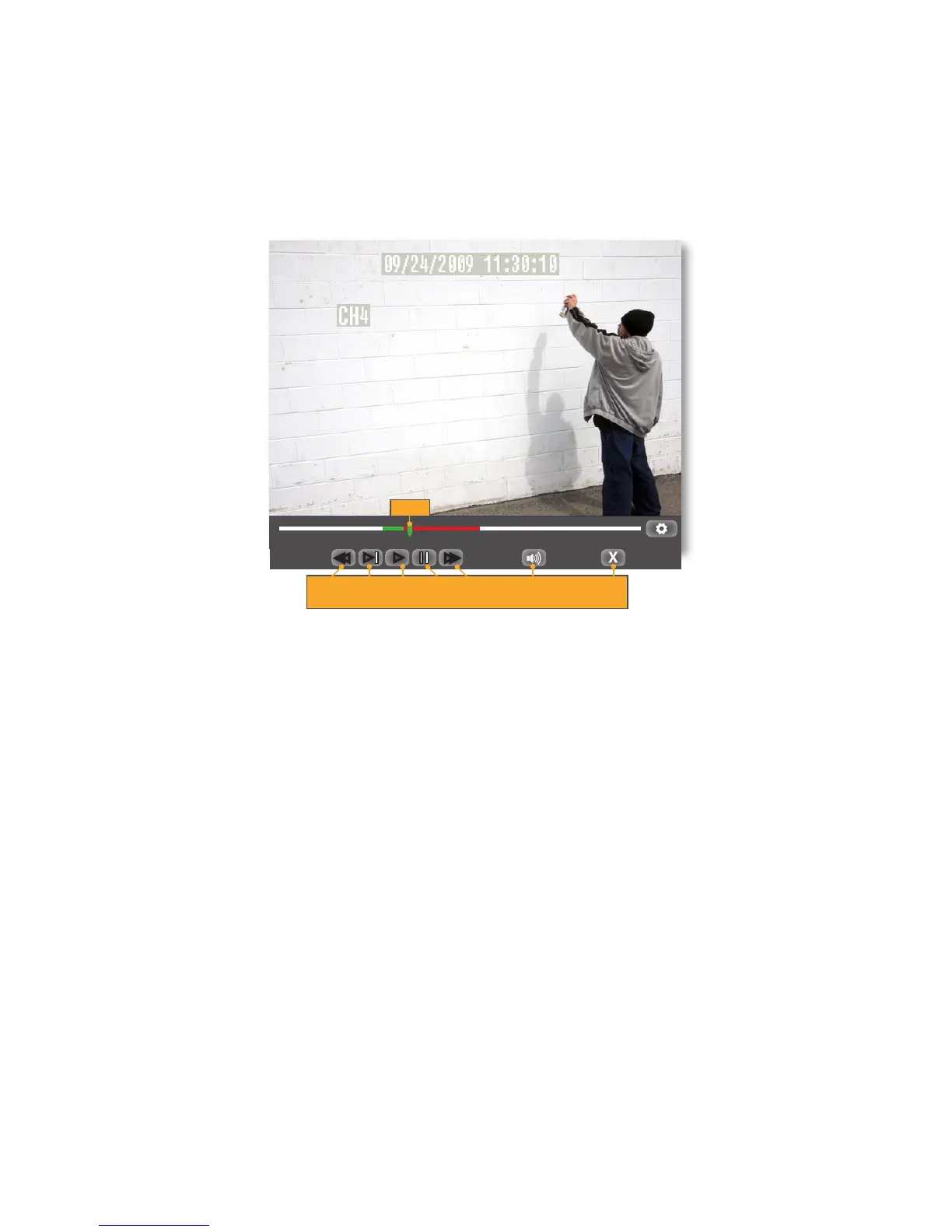
Click the file you have selected to view, and the footage will automatically play. Upon playing back the recorded
footage, options at the bottom of the screen appear to manipulate the video. These options are also available on the
remote control.
The options and their functions are as follows: (from left to right on the screen)
Rewind: Rewinds the footage, the more times you click it the faster the footage will rewind (x2, x4, x8, x16).
Slow Forward: Click to slow down the playback footage. The more times you click it, the slower the video will
playback.
Play: Plays selected footage at notmal speed.
Pause/Forward: Click once to pause the playback footage. After that, each time you click it, the playback footage will
move forward a frame and pause again.
Fast Forward: Click to fast forward the footage, the more times you click it, the faster the footage will fast forward
(x2, x4, x8, x16).
Mute: Selecting this option will mute the sound from the playback footage. Sound will only play though if
you have an audio-supported camera (not included) connected to your DVR.
Exit: Exits the playback footage and returns you to the RECORD SEARCH or EVENT SEARCH option.
00:00:00 00:00:00
►►
►►
►
►
REW / SLOW FF / PLAY / PAUSE / FF VOL EXIT
X 2,4,8,16 X 2,4,8,16
SLIDER



 To Next Page