34
Main Menu
System
This menu option allows you to change system settings on your DVR. The settings you can change include:
• Date and Time: Adjust date, time and daylight saving time
• Password: Turn the password function on/off as well as change the password
• Language: Customize and set different languages
• Info: Gives you information about the device, software version, and the MAC address
• Users: Add different users, set different administrators
General Tab
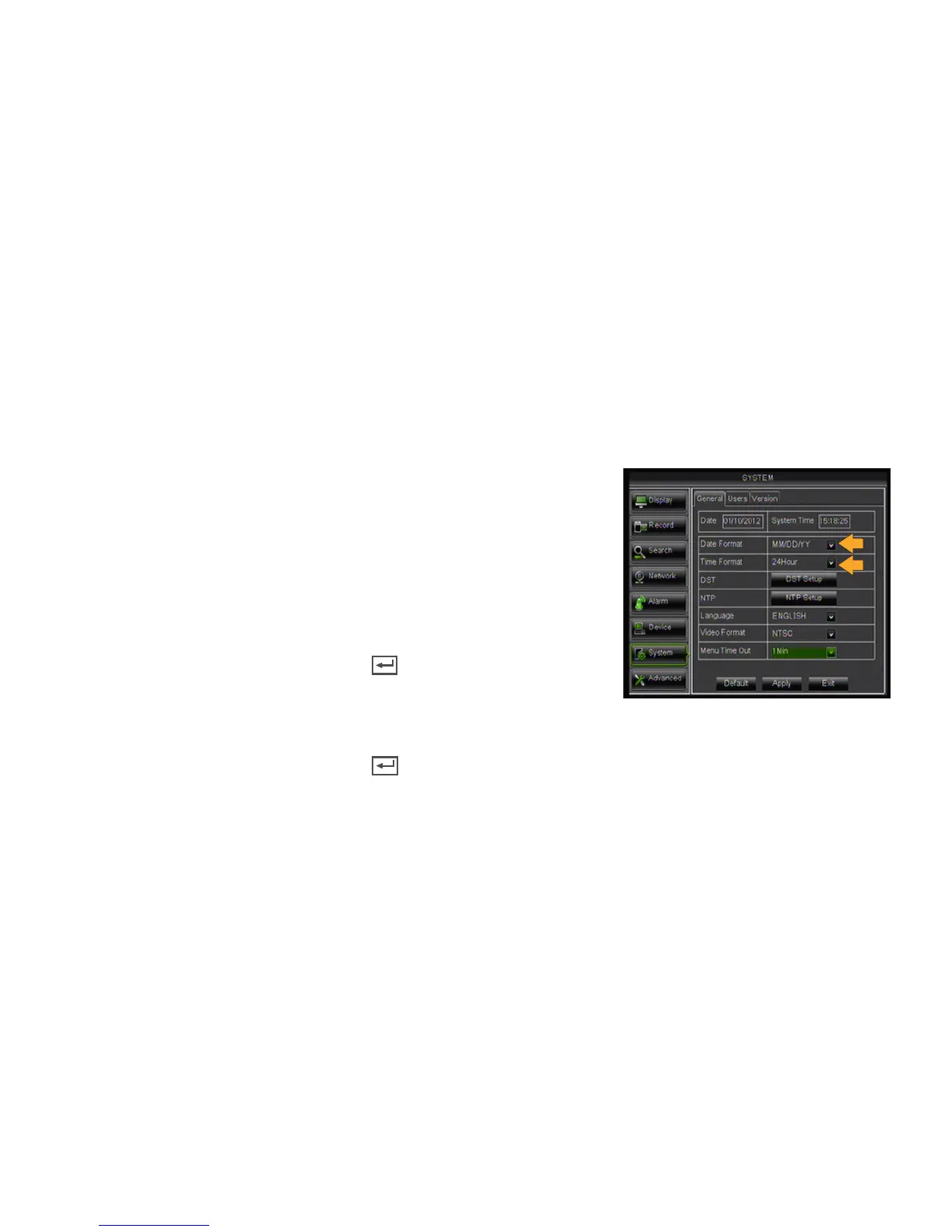
Alllows you to change the date and time, language, as well as daylight saving time.
*You must select the Date Format (i.e. MM/DD/YY) and Time format (i.e.12 or 24hr) before setting the current date
and time.
Setting the DATE FORMAT:
1. Select the DATE FORMAT drop down list and choose a date format.
2. Click APPLY at the bottom of the screen to save your changes.
Setting the TIME FORMAT:
1. Select the TIME FORMAT drop down list and choose a time format.
2. Click APPLY at the bottom of the screen to save your changes.
Setting the DATE:
1. Left click in the DATE field, the keyboard will open.
2. Enter the date then click the ENTER key .
3. Click APPLY at the bottom of the screen to save your changes.
Setting the TIME:
1. Left click in the TIME field, the keyboard will open.
2. Enter the time then click the ENTER key .
3. Click APPLY at the bottom of the screen to save your changes.
DST (Daylight Saving Time)
You can program the DVR to automatically switch to Daylight Saving Time.
Customizing the DAYLIGHT SAVING TIME settings:
1. Click the DST SETUP box next to DST.
2. Select the DST drop down list and choose ENABLE.
3. Select the TIME OFFSET drop down list and choose if you would like your clock to move forward or
backward by 1 or 2 hours.
4. Select the DAYLIGHT SAVING TIME drop down list and choose if you would like DST to change in a
specific week or a specific date.



 To Next Page