43
Networking Guide
NETWORKING CHECKLIST
The DVR connected to a router.
The router connected to the Internet.
A PC or laptop that is connected to the same router
as the DVR. The PC can be connected by a wired or
wireless connection.
Internet Explorer® (IE) 6.0 or higher.
A genuine and fully-updated version of Windows
XP,® Vista® or newer.
Install 1 Step™ Remote Viewing set-up software
(Recommended)
Note: The computer and DVR need to be connected to the same router for initial setup. A computer will not
always be necessary at the location to view the DVR.
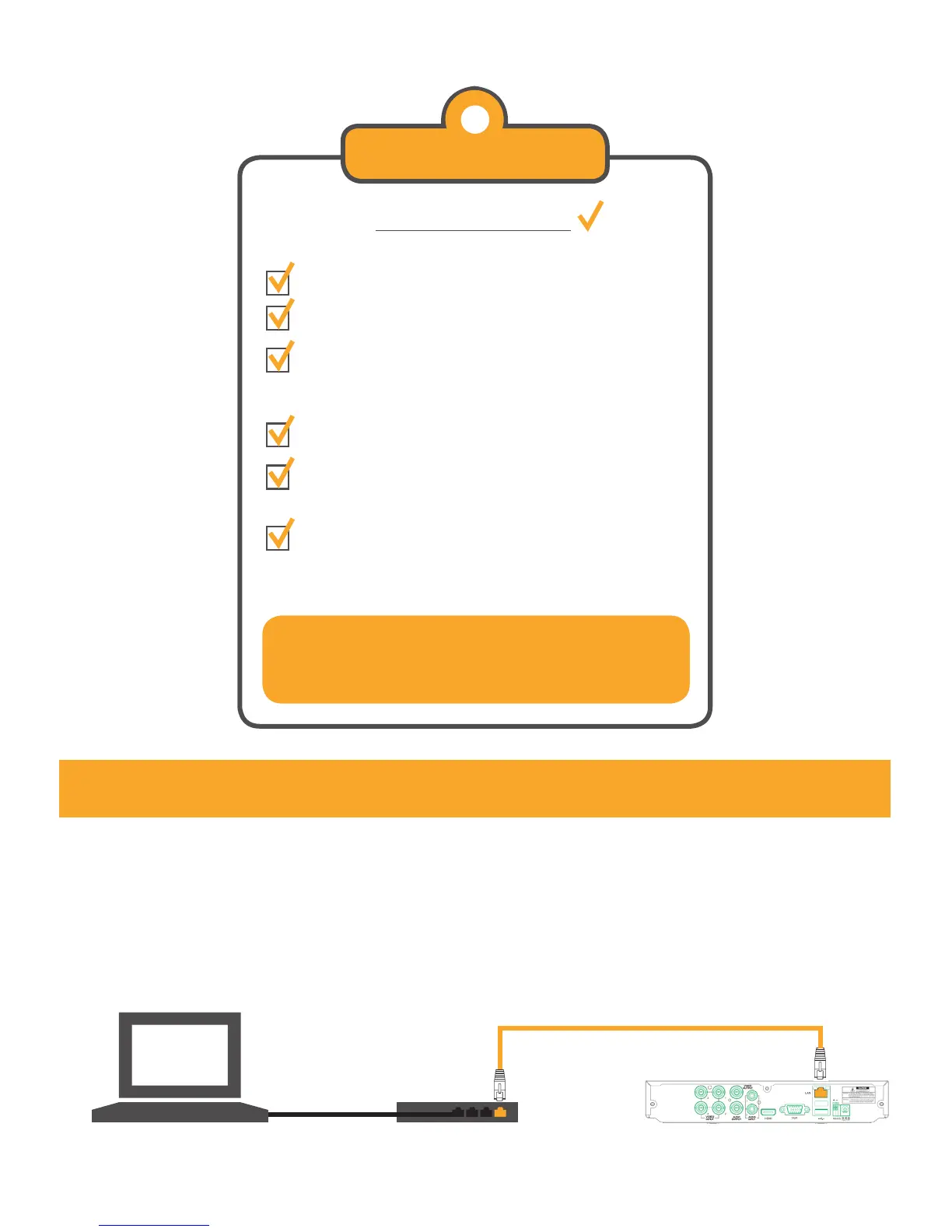
Connecting DVR to a Router
1. Power off the DVR by removing the power cable from the back of the DVR.
2. Connect the included RJ-45 Ethernet Cable to the back of the DVR in the LAN port.
3. Connect the other end of the RJ-45 Ethernet Cable to an available port on the router.
4. Reconnect the power cable to the back of the DVR.
Disclaimer:
Internet Explorer is a registered trademark of Microsoft Corporation.
Windows XP is a registered trademark of Microsoft Corporation.
Vista is a registered trademark of Microsoft Corporation.



 To Next Page