52
Online Software
Live Mode
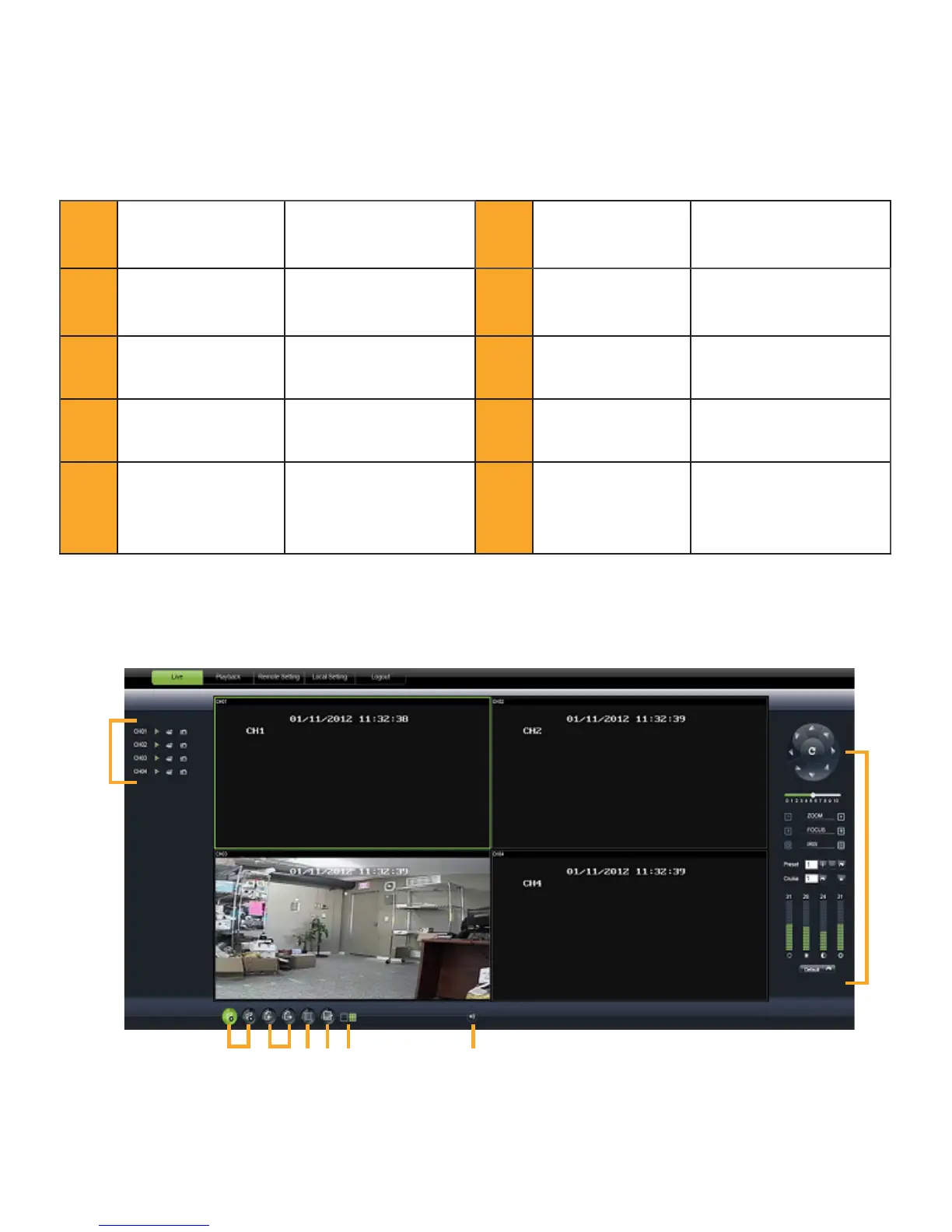
The LIVE tab at the top of the online viewing screen allows you to view the DVR in LIVE mode.
1 PTZ Camera Controls Opens PTZ control menu 6 Display Prev/Nxt CH
Cycle through and view
8 or 16 cameras in quad
screen mode
2 Cruise Setup
Setup directions for the
PTZ to follow
7 Widescreen View
Expands the camera
screen you have
highlighted
3 Record
Records footage directly
to your computer
8 Channel Display
Different options for
displaying the cameras
4 Capture
Take a snapshot of the
screen and save it to your
computer
9 Single/Quad View
View cameras in single
view or four seperate views
5
Open/Close All Live
Channels
View or stop all live feed
from showing
10 Volume Control
Controls the volume for
audio-supported camera or
microphone (not included)
1
2
3
4
5
6
7
8
9
10



 To Next Page