01/10/2021 ASSEMBLY INSTRUCTIONS MLD Control EC-6 with CCB III Page 18
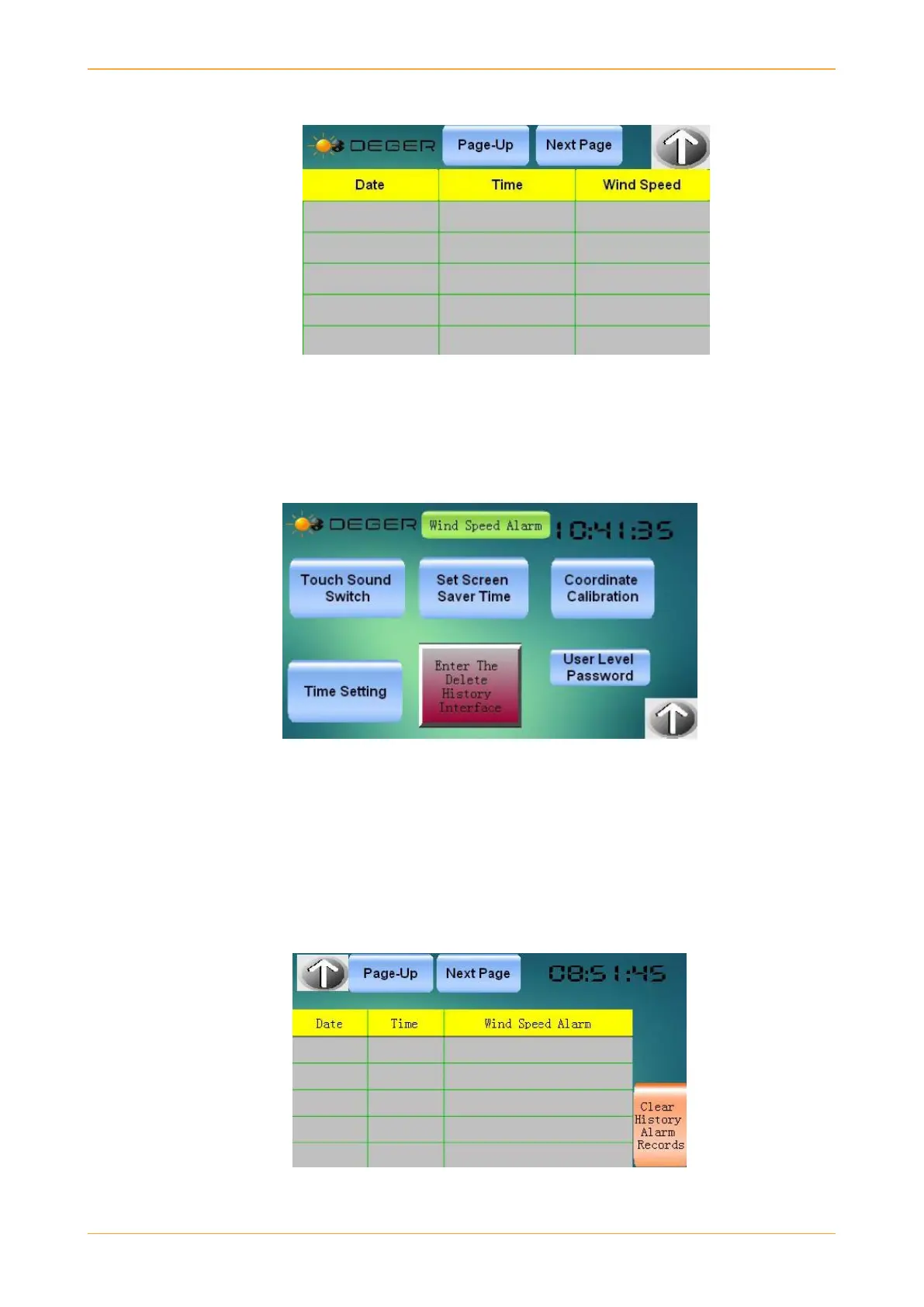
History Interface: When user clicks on History button, they will see the interface shown below.
Figure 5: History
As shown above, this stores the wind speed information with corresponding time and date. Default interval
time is 5 minutes. The interval time is shown on main screen and can be set only by a DEGER team
member.
Setting Interface: Entering the setting interface through the main interface, the user will see the interface
shown below:
Settings
In settings interface, the user can turn on or off the touch sound, set the screen saver time, can calibrate
according to coordinate and set local time. Another feature is that user can also see the wind alarm records
by clicking on wind speed alarm as shown in image above.
Alarm Record Interface: The alarm record interface records all the wind alarms with corresponding date
and time as shown below in image. User also has the option to delete the history of wind alarm records when
space gets full.
Wind Alarm Records


 To Next Page