2. General User Information
2.1 Function
The proxSafe Terminal C4 works as connecting link between the user and the proxSafe
system and communicates with the proxSafe Commander Software. The administration of the
master data of the keyTags and the users with names and according access authorization takes
place in the internal data base as well as the recording of defined time profiles.
Access to the Terminal is granted either by entries into the keypad or via the combination
reader for cards (identification cards, in the following only: ident cards) and keyTags.
Taking out and returning the keyTags with the attached keys takes place contactlessly by
the built-in proximity reader as well. The display gives the user information about date and
time, status feedback, demands for action and affirmation of those as well as a menu-
guidance with numerous possibilities of configuration.
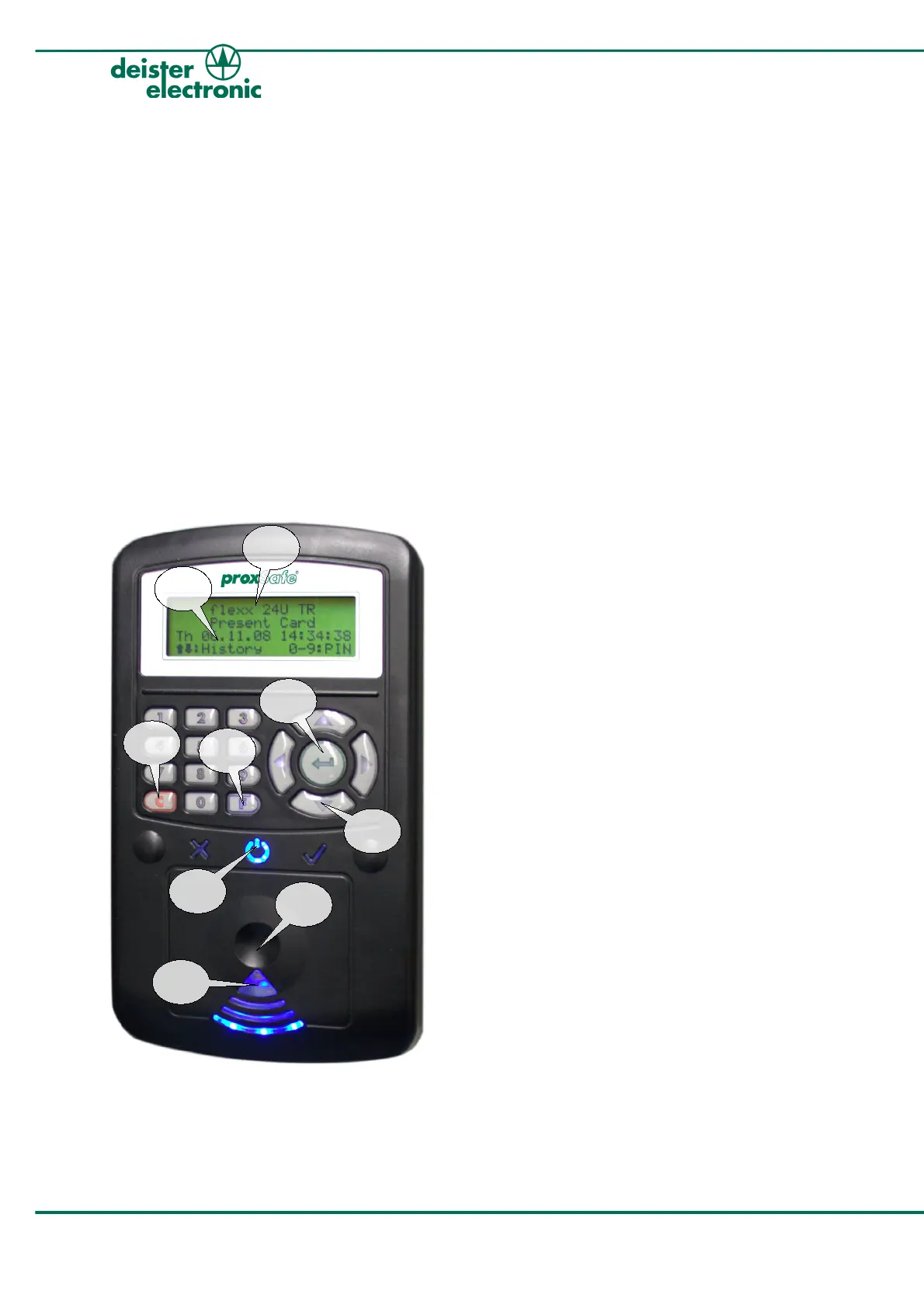
2.2 Basic Structure
1 Name of Terminal in display,
can only be edited within the
Commander Software
2 LCD Display with 4 lines with 20
characters each
3 Contactless combination
reader for cards and keyTags
4 Green Button: for affirmation of
operation entries
5 C-Button: red key to cancel actions
6 F-Button: blue key for calling up
the functional menu
7 Arrow Keys: for scrolling through
the menus
8 Status Symbols, backlit: blue for
ok-status, green check mark for
successful actions and red cross for
errors
9 Blue LEDs in pie shaped section:
operation indicator of the reader
6 ps_terminalc4_em v250909
proxSafe Terminal C4
1
2
4
5
6
7
3
8
9



 To Next Page