90 Troubleshooting
5
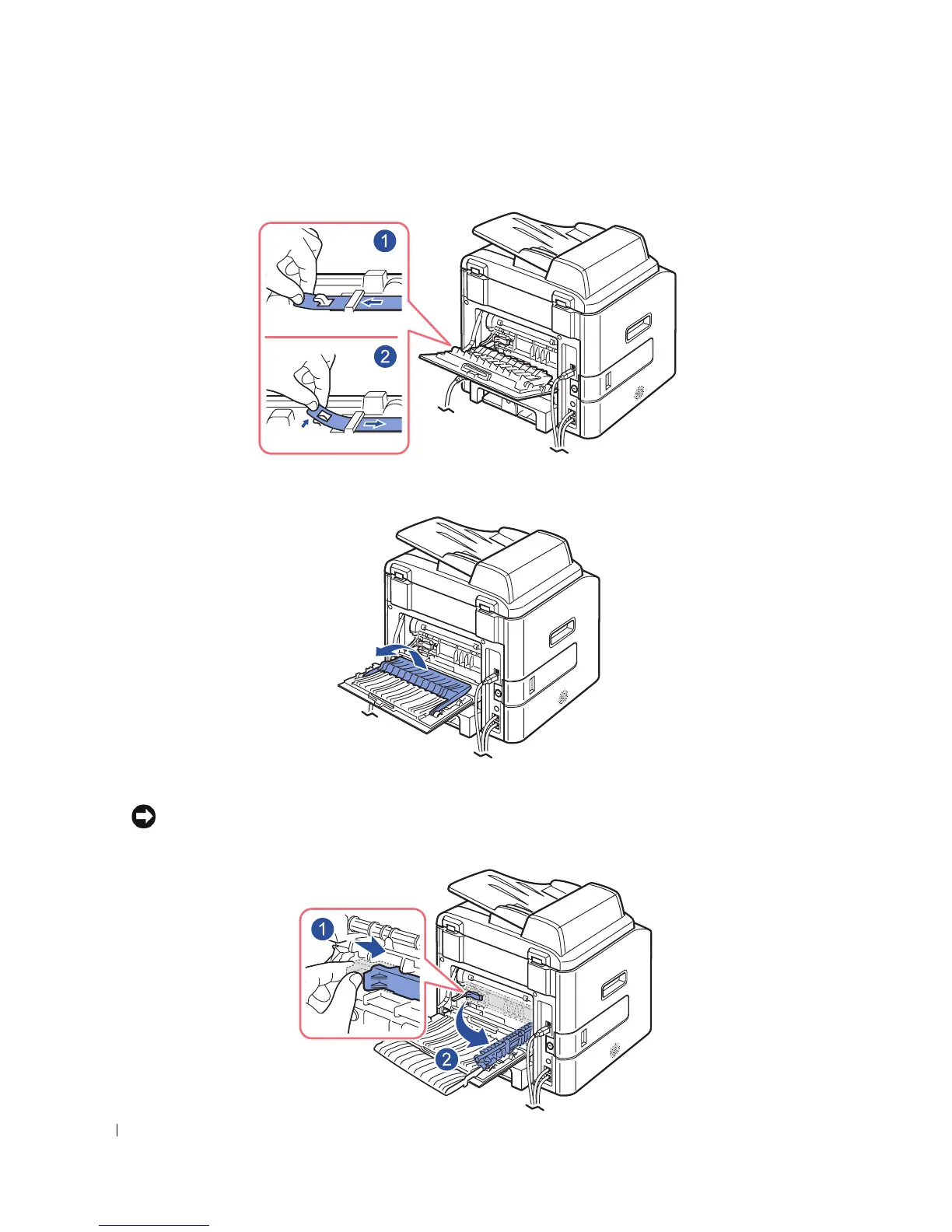
Release the blue strap, the rear cover stopper, and fully open the rear cover, as shown.
6
Unfold the duplex guide fully.
7
While pushing the fuser lever to the right, open the fuser door.
NOTICE: Make sure to unfold the duplex guide before opening the fuser door or you may damage the fuser
door.



 To Next Page
 Loading...







