Installing Options 99
4
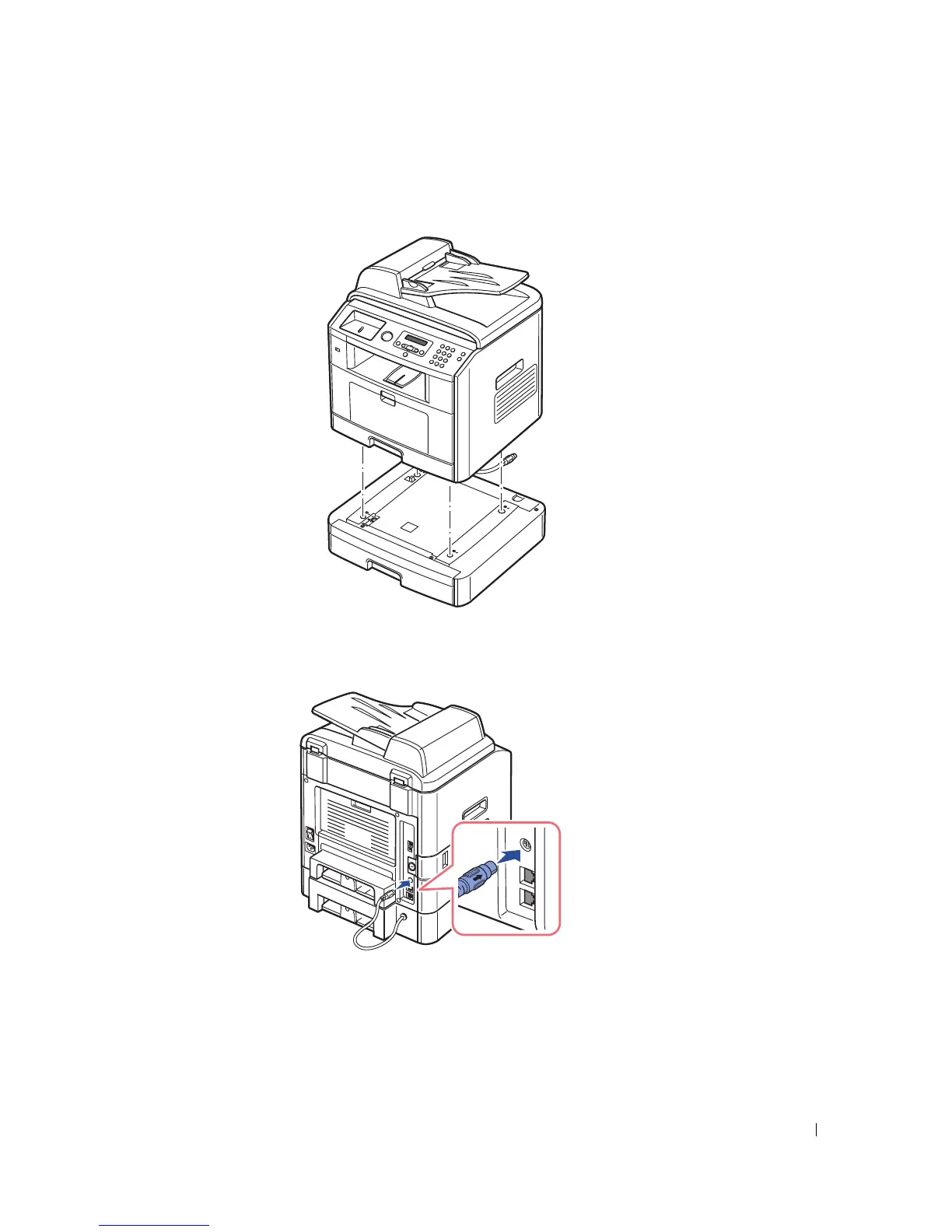
Place the printer over the optional tray 2, aligning the feet on the printer with the positioners in the
optional tray 2.
5
Connect the cable into the connector on the back of the printer.
6
Load paper in the optional tray 2. For information about loading paper in this tray, see "Using the Paper
Tray" on page 40 .
7
Reconnect the power cord and printer cable, and turn the printer on.



 To Next Page
 Loading...







