20 | Removing the Secondary Hard-Drive (optional)
4 Turn the secondary hard-drive assembly over.
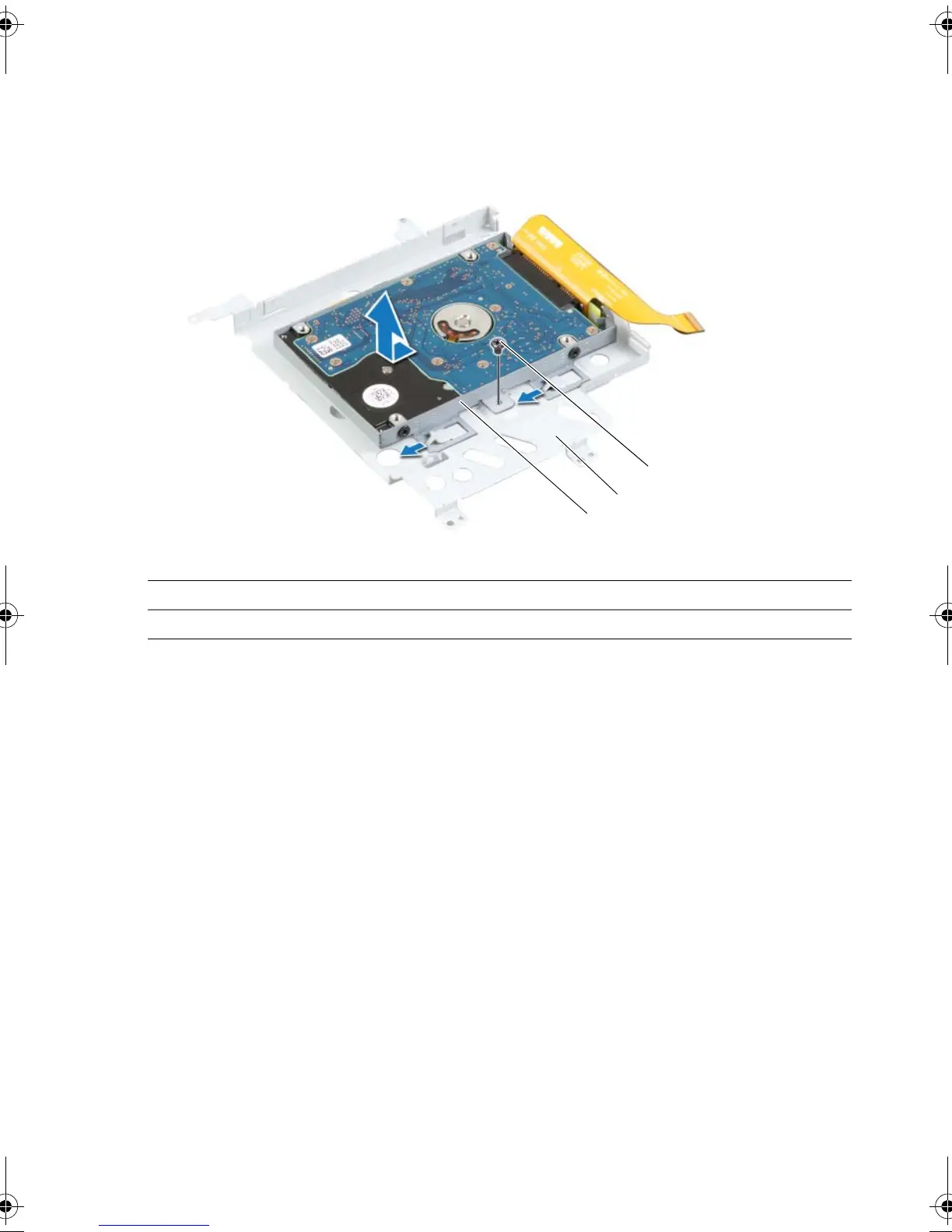
5 Remove the screw that secures the secondary hard-drive assembly to the main
bracket.
6 Slide and lift the secondary hard-drive assembly off the main bracket.
1 secondary hard-drive assembly 2 main bracket
3screw
book.book Page 20 Monday, June 24, 2013 10:53 AM












 To Next Page