Removing the Palm Rest | 35
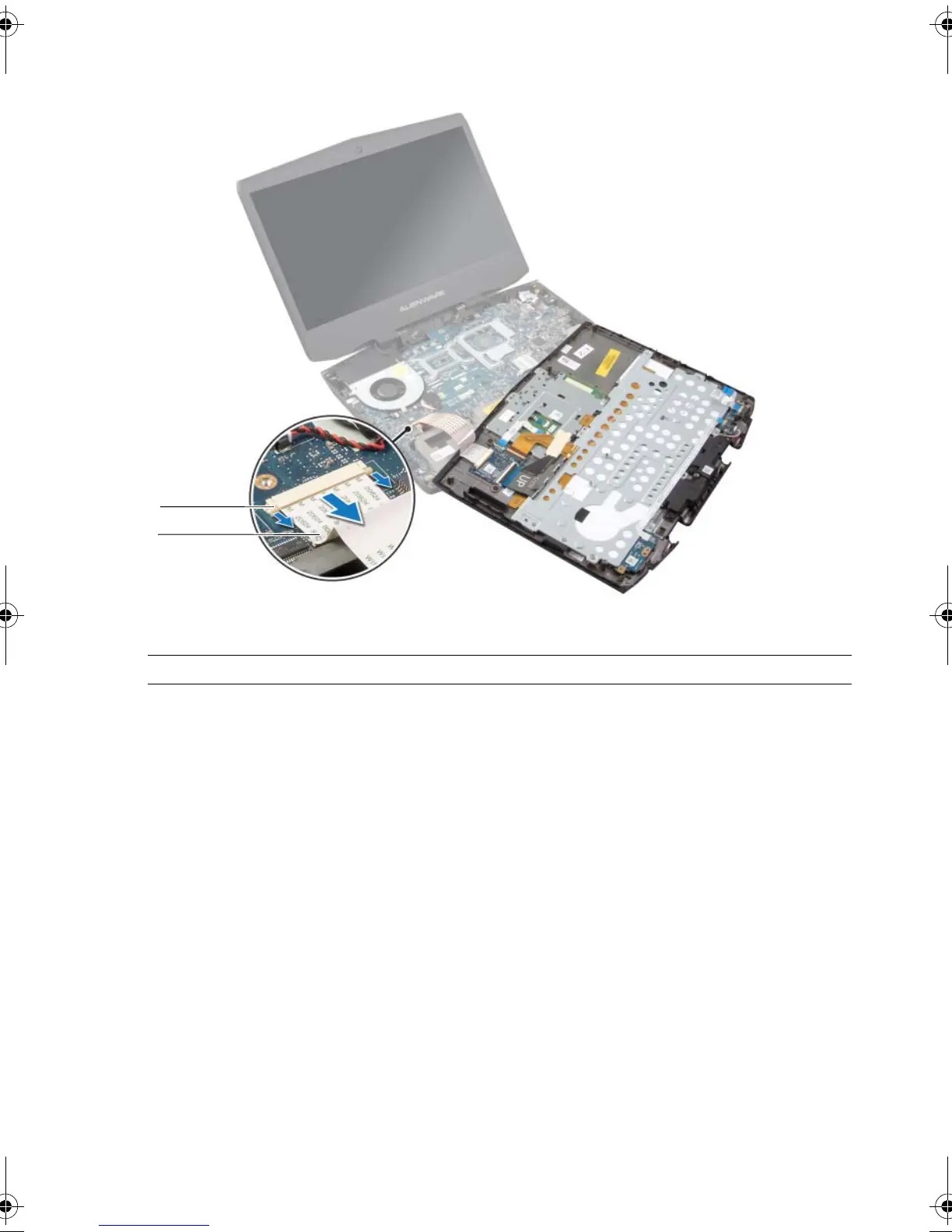
6 Release the connector latches to disconnect the flexi cable from the system board.
7 Follow the instructions from step 1 to step 9 in "Removing the Keyboard" on page 46.
8 Follow the instructions from step 1 to step 4 in "Removing the Status-Light Board" on
page 40.
9 Follow the instructions from step 1 to step 4 in "Removing the Speakers" on page 43.
10 Follow the instructions from step 1 to step 4 in "Removing the Power-Button Board"
on page 37.
1 connector latch 2 flexi cable
book.book Page 35 Monday, June 24, 2013 10:53 AM












 To Next Page