34 | Removing the Palm Rest
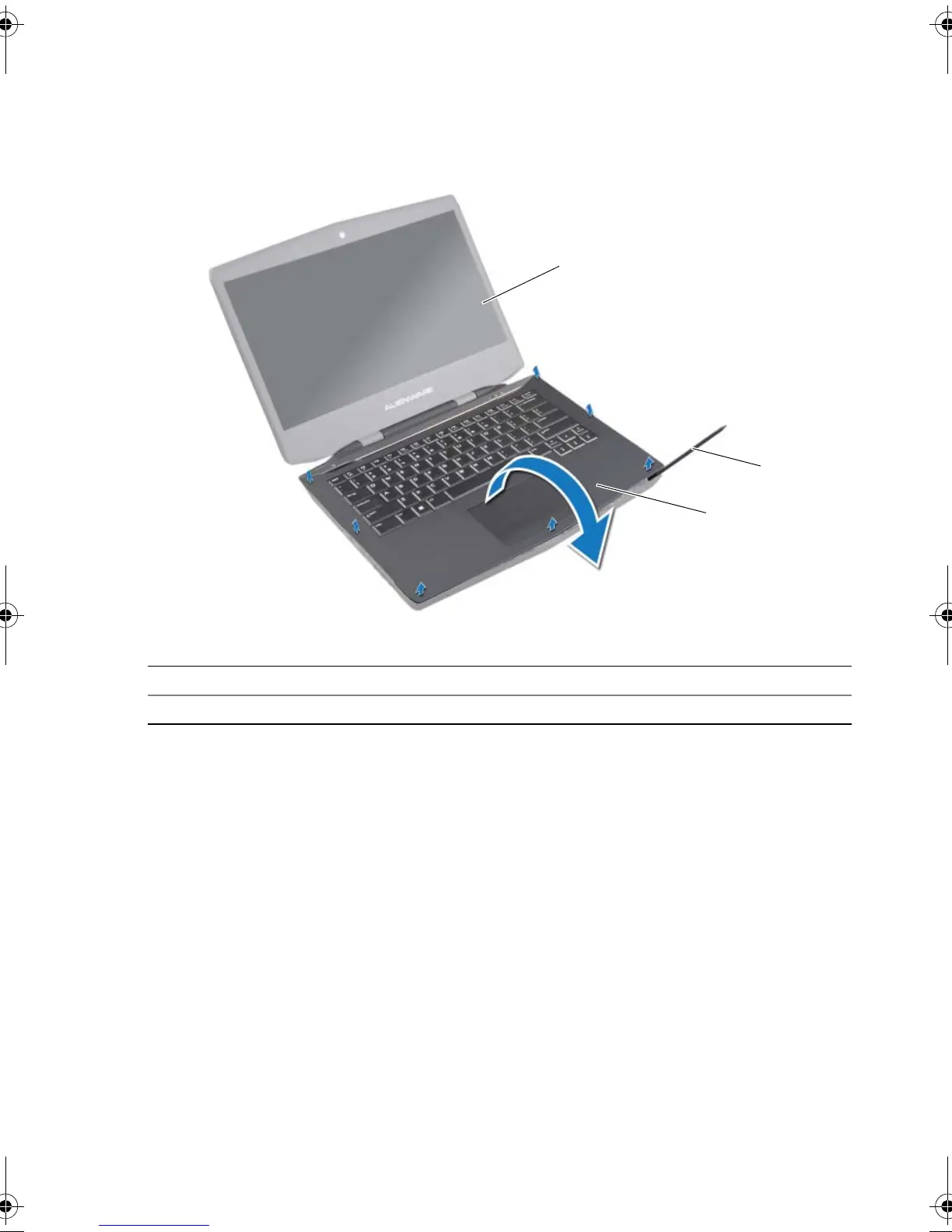
3 Turn the computer over and open the display as far as possible.
4 Using a plastic scribe, pry the palm-rest assembly from the computer base.
5 Carefully lift the palm-rest assembly and turn it over.
1 display 2 plastic scribe
3 palm-rest assembly
book.book Page 34 Monday, June 24, 2013 10:53 AM












 To Next Page