Steps
1. Connect the battery cable to the system board.
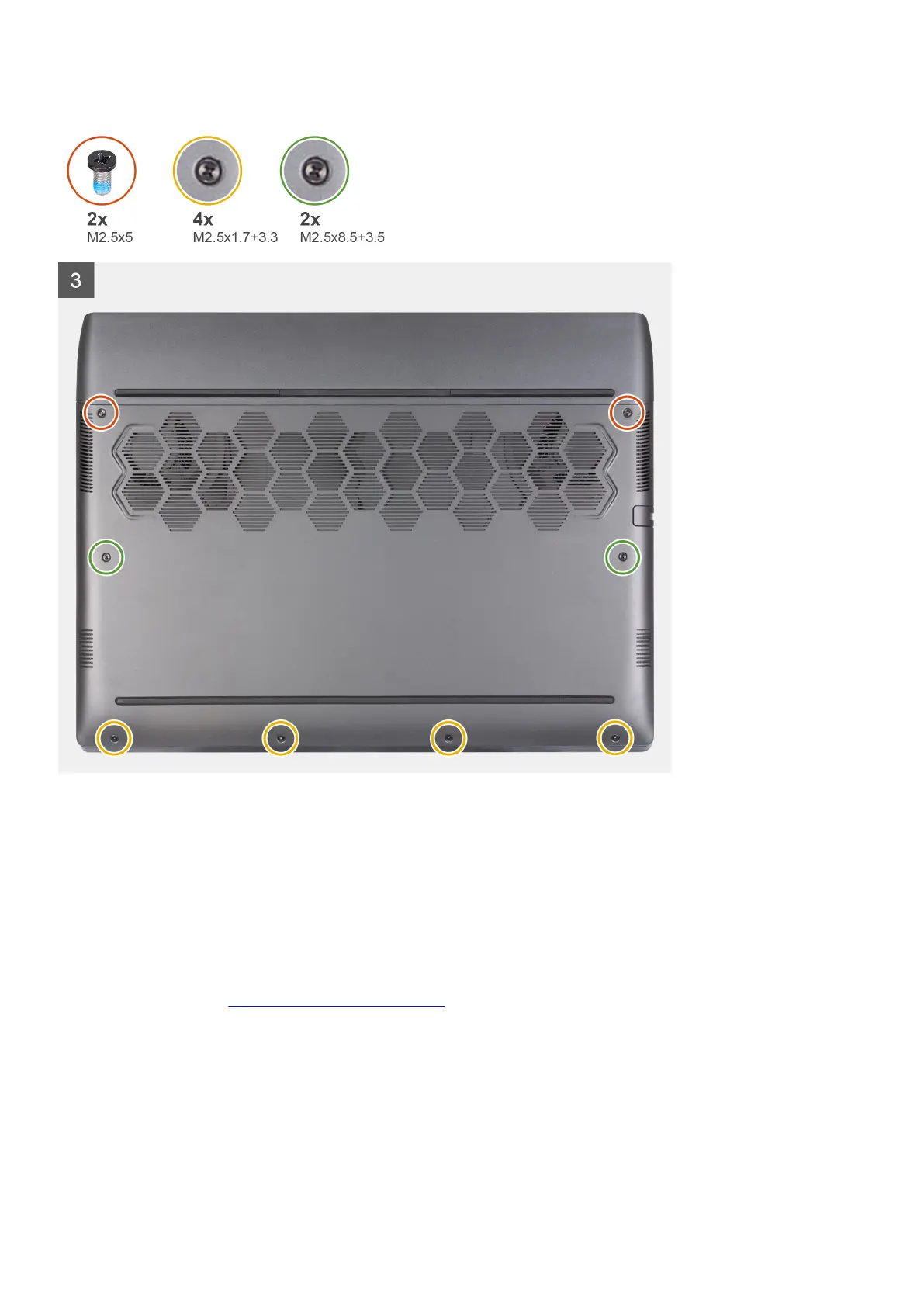
2. Slide the notches on the top of the base cover under the rear I/O-cover, and snap the base cover into place on the palm-rest and
keyboard assembly.
3. Replace the two screws (M2.5x5) that secure the base cover to the palm-rest and keyboard assembly.
4. Tighten the two captive screws (M2.5x8.5+3.5) that secure the base cover to the palm-rest and keyboard assembly.
5. Tighten the four captive screws (M2.5x1.7+3.3) that secure the base cover to the palm-rest and keyboard assembly.
Next steps
1. Follow the procedure in
After working inside your computer.
17













 To Next Page