Installing the memory module
Prerequisites
If you are replacing a component, remove the existing component before performing the installation process.
About this task
NOTE: Up to two memory modules may be installed into this computer.
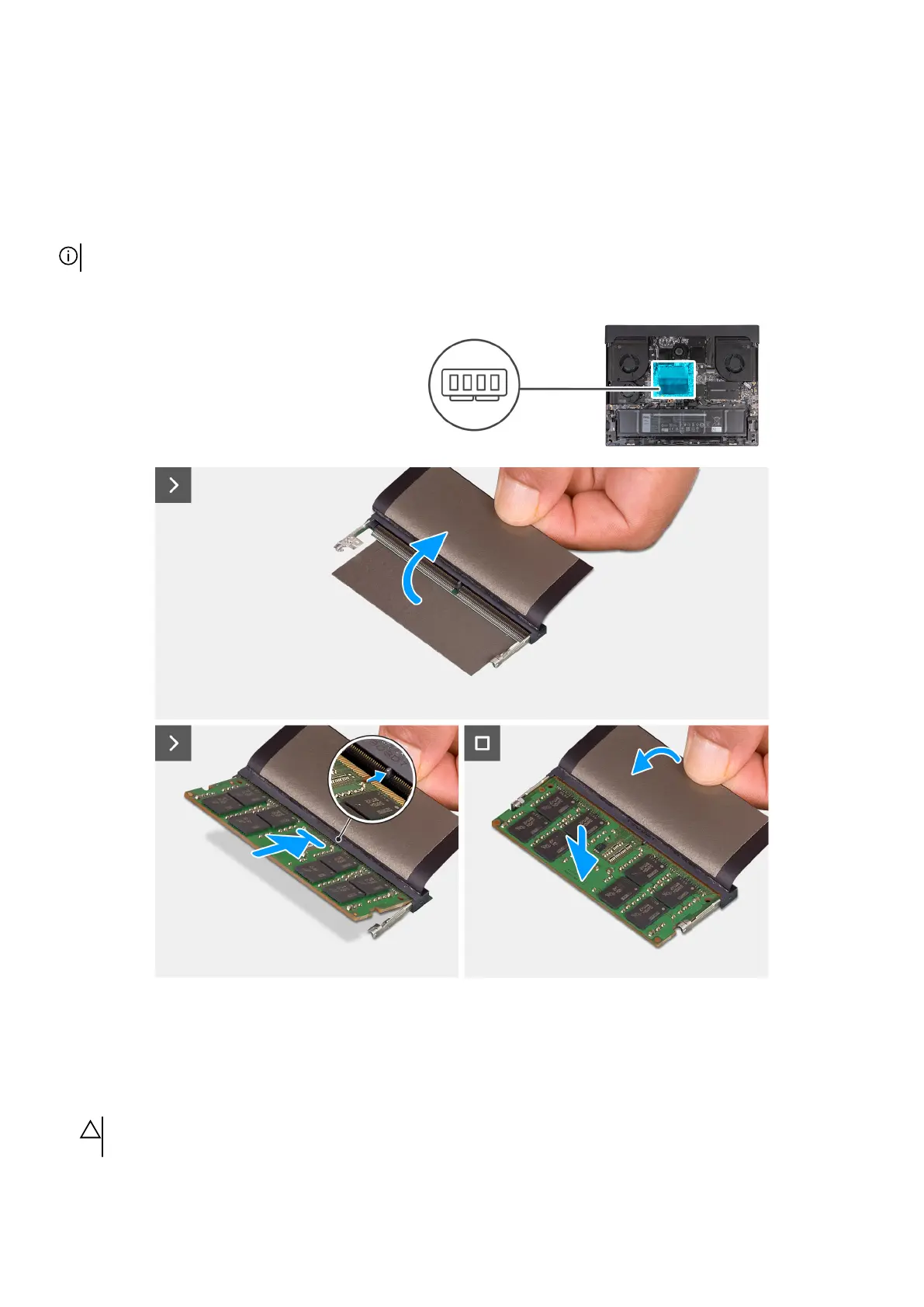
The following images indicate the location of the memory module and provide a visual representation of the installation procedure.
Steps
1. Lift the MyLar to access the memory slot.
2. Align the notch on the memory with the tab on the memory slot.
3. Slide the memory module firmly at an angle into the memory-module slot.
4. Press the memory module down until it clicks into place.
CAUTION: To prevent damage to the memory module, hold the memory module by the edges. Do not touch the
components on the memory module.
41










 To Next Page