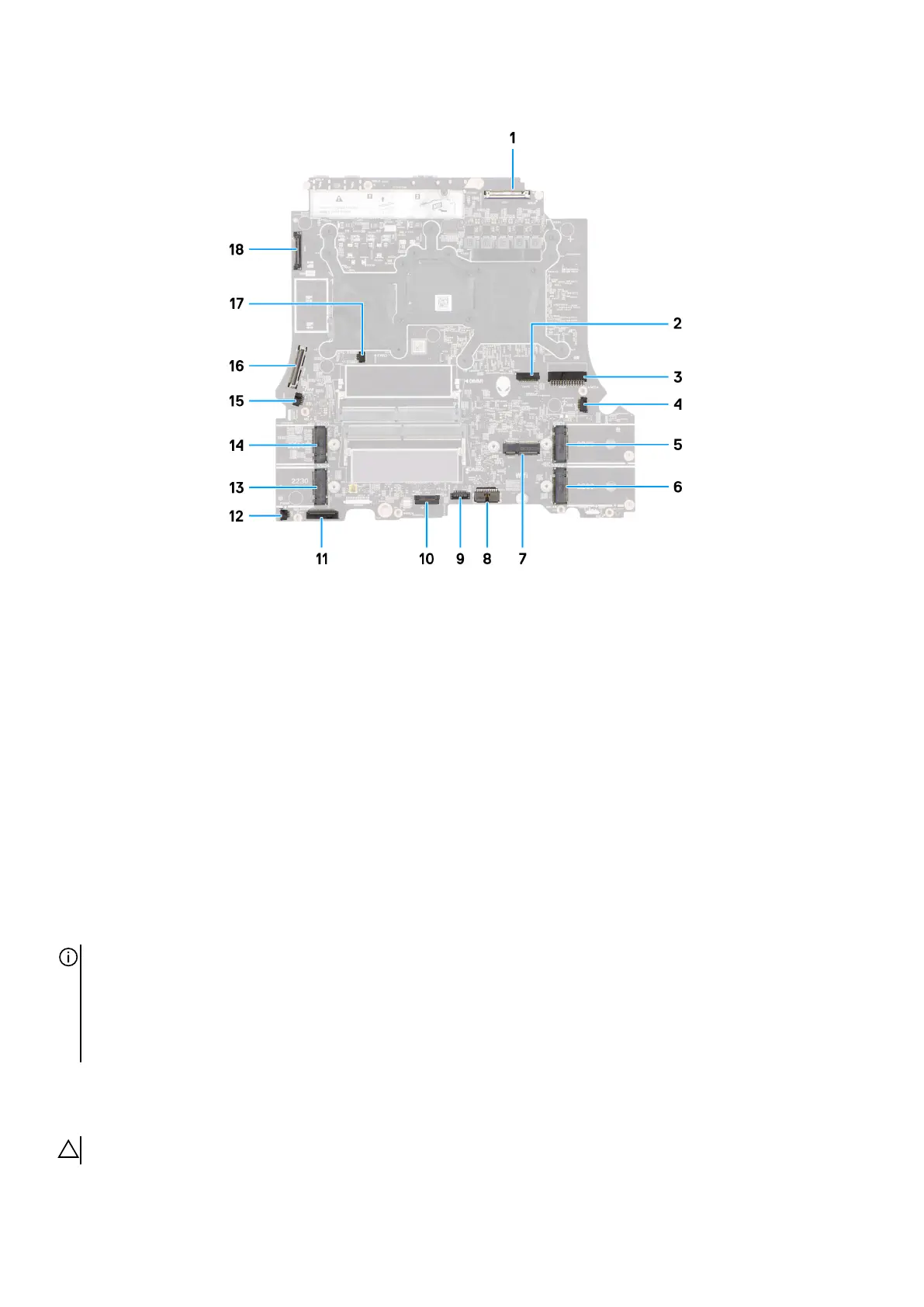
1. Display cable (LCD1)
2. Alien head LED-cable (LEDON1)
3. Power-adapter port cable (DCIN1)
4. Right-fan cable (FAN2)
5. M.2 card slot for solid-state drive 1 (SSD1)
6. M.2 card slot for solid-state drive 2 (SSD2)
7. Wireless-card slot (WLAN1)
8. Battery cable (BATT1)
9. Touchpad (TPAD1)
10.Keyboard controller and keyboard backlight cable (KBBL2)
11. Left I/O board cable
12. Left-fan cable 1 (FAN4)
13. M.2 card slot for solid-state drive 4 (SSD4)
14. M.2 card slot for solid-state drive 3 (SSD3)
15.Left-fan cable 2 (FAN1)
16.Rear I/O board cable
17. Left-fan cable 3 (FAN3)
18.Camera cable (CAM1)
NOTE:
Computers that are shipped with NVIDIA GeForce RTX 4080 or RTX 4090 graphics card have two M.2 2230 and two M.2
2230/2280 solid-state drive slots.
Computers that are shipped with NVIDIA GeForce RTX 4060 or RTX 4070 graphics card have only two M.2 2230/2280
solid-state drive slots.
Removing the system board
CAUTION: The information in this removal section is intended for authorized service technicians only.
75










 To Next Page