Steps
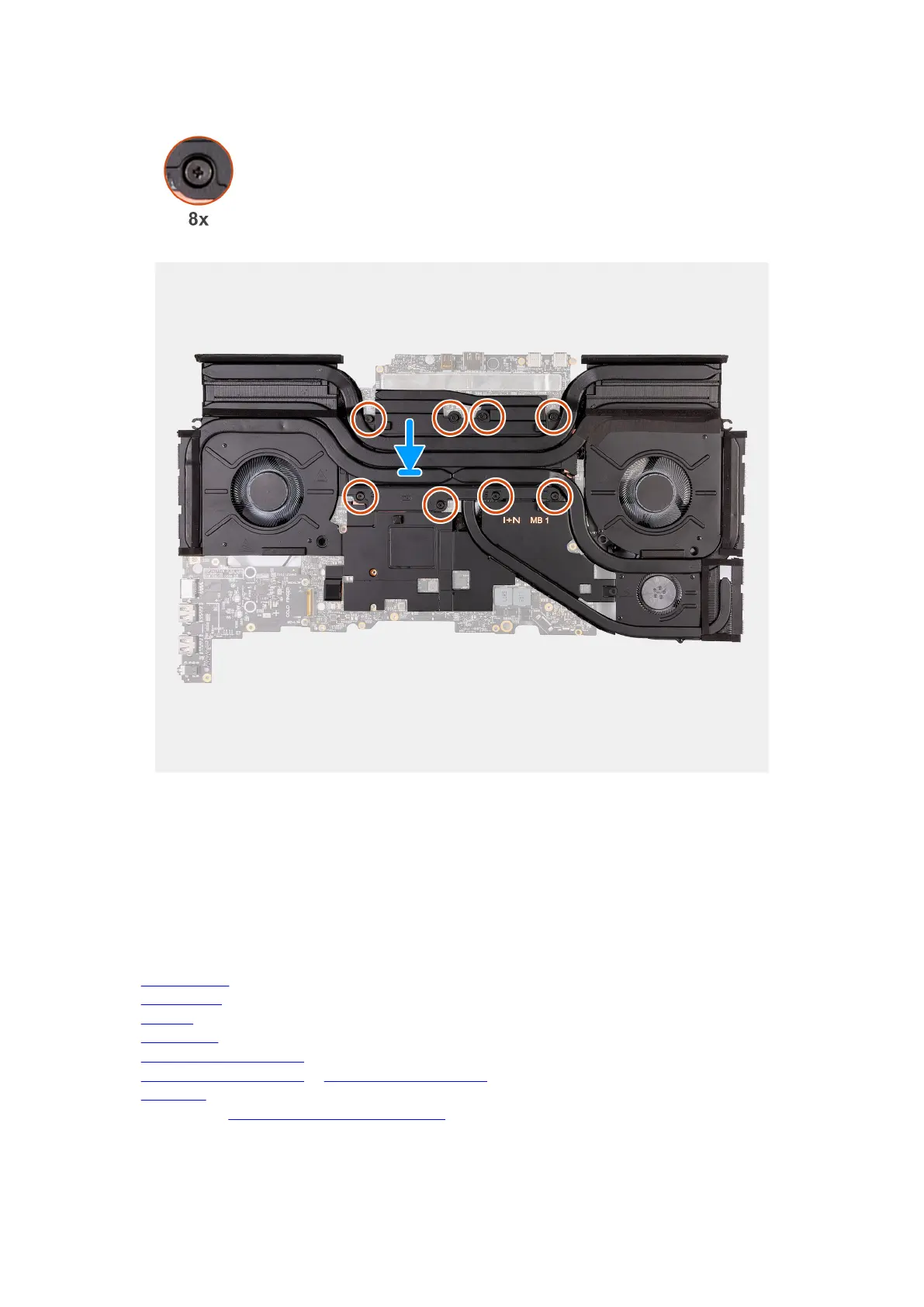
1. Place the heat-sink assembly on the system board.
2. Align the screw holes on the fan and heat-sink assembly to the screw holes on the system board.
3. In sequential order (1>2>3>4>5>6>7>8), tighten the eight captive screws that secure the fan and heat-sink assembly to the
system board.
4. Turn over the system-board assembly.
Next steps
1. Install the
rear I/O cover.
2. Install the top heat-sink.
3. Install the small fan.
4. Install the wireless card.
5. Install the M.2 2230 solid-state drive in slot three and four, if applicable.
6. Install the M.2 2280 solid-state drive or M.2 2230 solid-state drive in slot one and two, whichever is applicable.
7. Install the base cover.
8. Follow the procedure in After working inside your computer.
84










 To Next Page