Loading Print Media 225
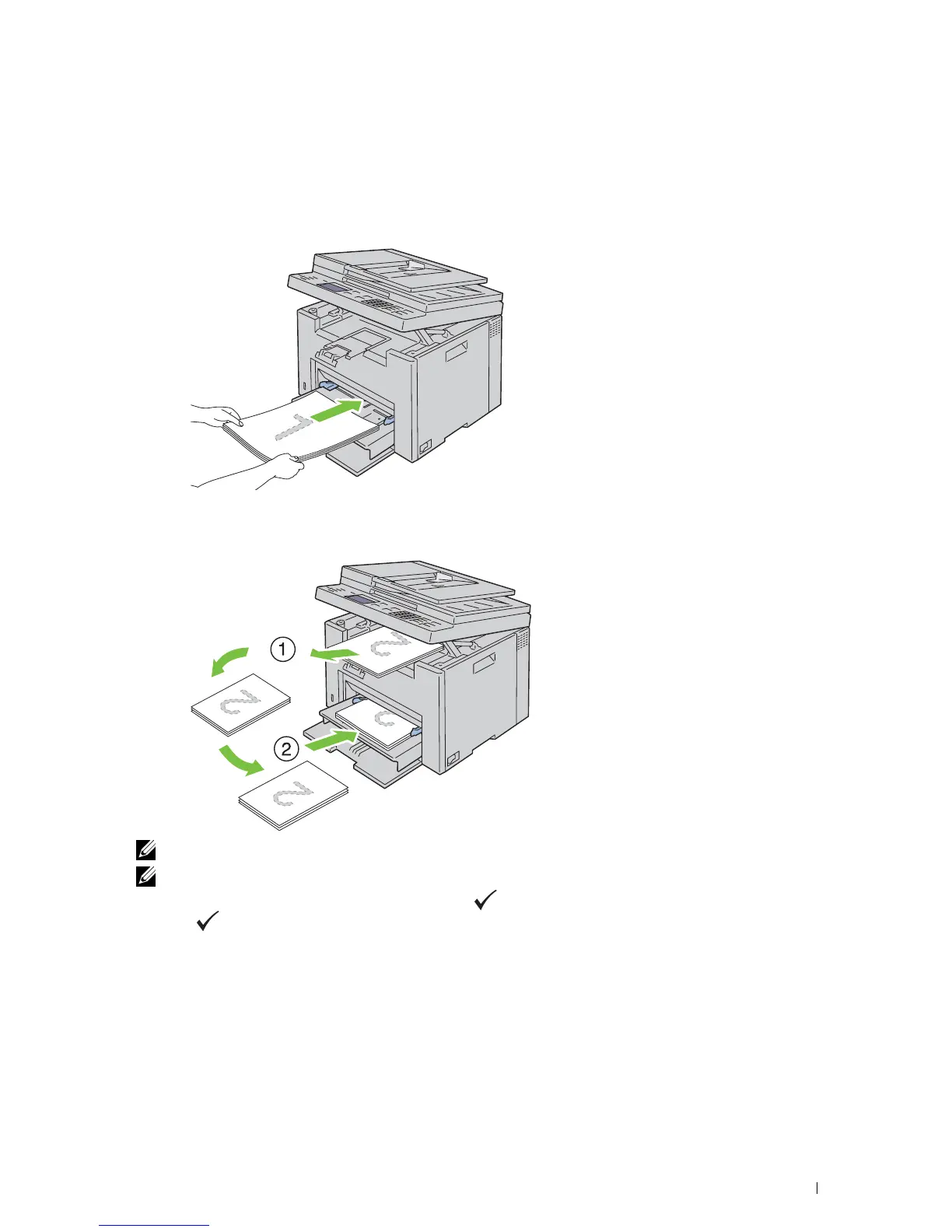
When Using the Priority Sheet Inserter (PSI)
1
First print the even pages (rear sides).
For a six page document, even pages are printed in the order page 6, page 4, then page 2.
Ready / Error LED blinks and the message appears on the operator panel when the even pages finish printing.
2
After the even pages are printed, remove the paper stack from the output tray and set them as they are (with the
blank side facing up) into the PSI.
NOTE: Warped or curled prints can cause paper jams. Straighten them before setting them.
NOTE: Printing on both sides of the paper is not possible if the document consists of various sizes of papers.
3
Ensure that
Insert Output to Tray Press to Continue Printing
is highlighted, and then
press the
(Set)
button. Print pages in the order page 1 (rear of page 2), page 3 (rear of page 4), then page 5
(rear of page 6).



 To Next Page
 Loading...









