Connecting Your Printer 43
Connecting the Telephone Line
NOTE: Do not connect your printer directly to a Digital Subscriber Line (DSL). This may damage the printer. To use a DSL, you
will need to use an appropriate DSL filter. Contact your service provider for the DSL filter.
1
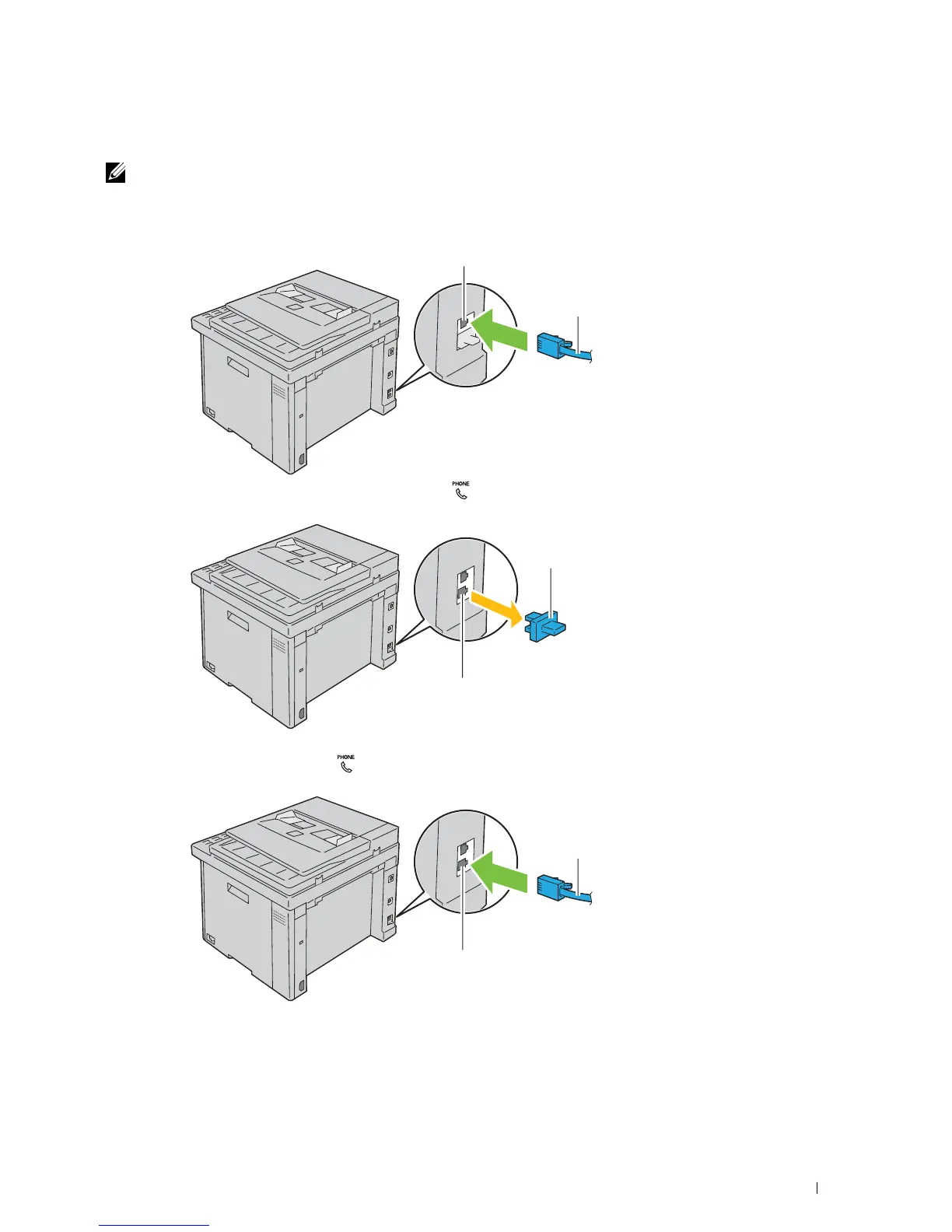
Plug one end of a telephone line cord to the wall jack connector and the other end to an active wall jack.
2
Remove the blue plug from the phone connector ( ).
3
To connect a telephone and/or answering machine to your printer, plug the telephone or answering machine line
cord into the phone connector ( ).
Wall jack connector
To the wall jack
Phone connector
Blue plug
Phone connector
To an external telephone or
answering machine














 To Next Page