Installing the Power Switch
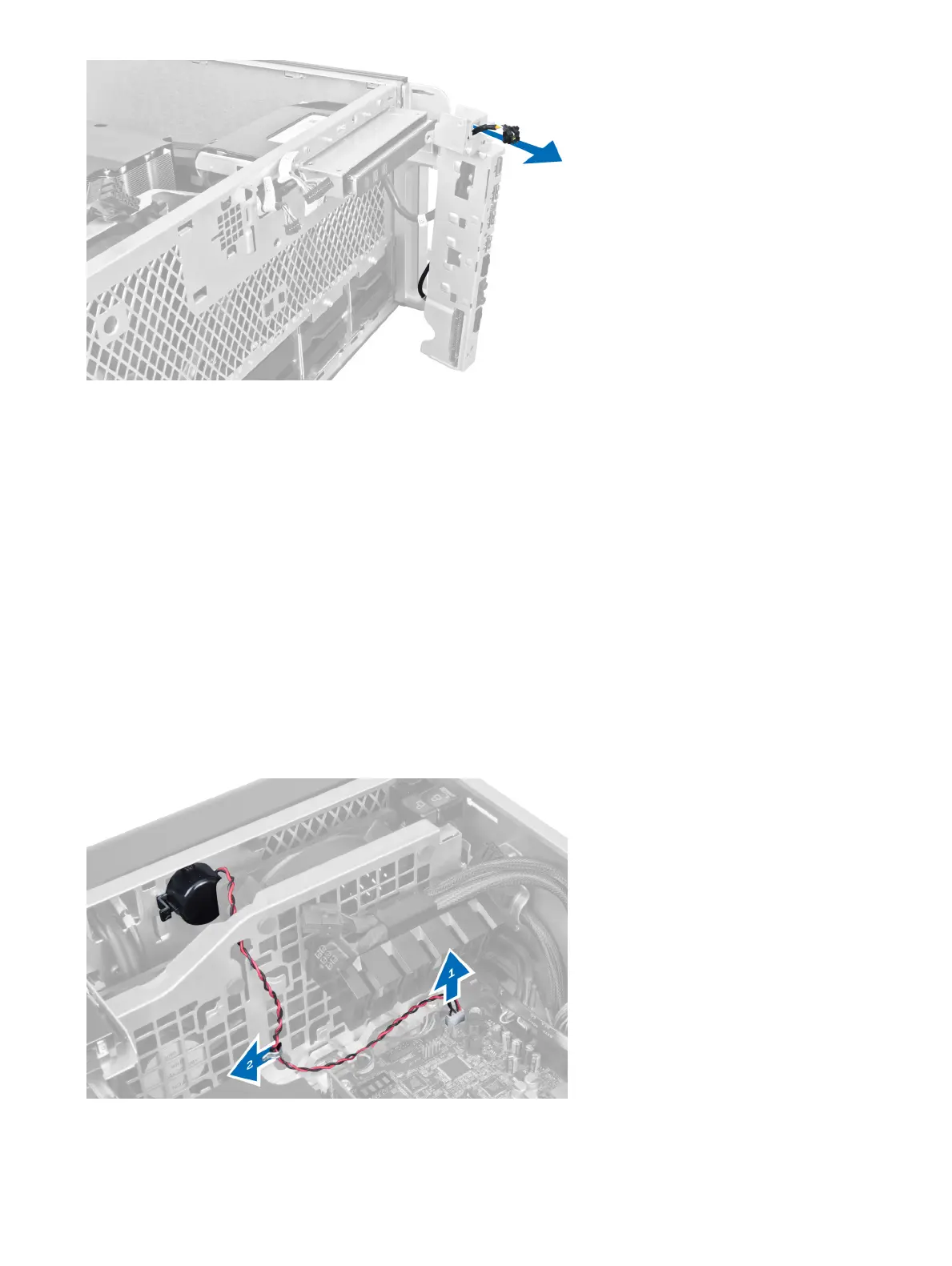
1 Connect the power-switch cable to the I/O panel board.
2 Route the power-switch module through the opening on the front panel.
3 Press the retention tab to secure the power switch in place.
4 Install:
a I/O panel
b front bezel
c front cover
d left cover
5 Follow the procedures in After Working Inside Your Computer.
Removing the Speaker
1 Follow the procedures in Before Working Inside Your Computer.
2 Remove the left cover.
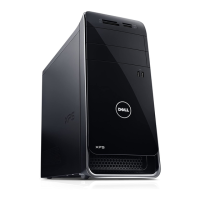
3 Disconnect the speaker cable from the system board and unroute it from the securing clip on the chassis.
4 Perform the following steps:
a Press the speaker latch on both sides to release the speaker from the chassis.
Removing and installing components
39



 To Next Page