230
Faxing
For Windows
®
NOTE:
The names of the windows and the buttons may be different from those given in the following procedure depending on
the application you are using.
NOTE:
To use this feature, you must install the fax driver.
1
Open the file you want to send by fax.
2
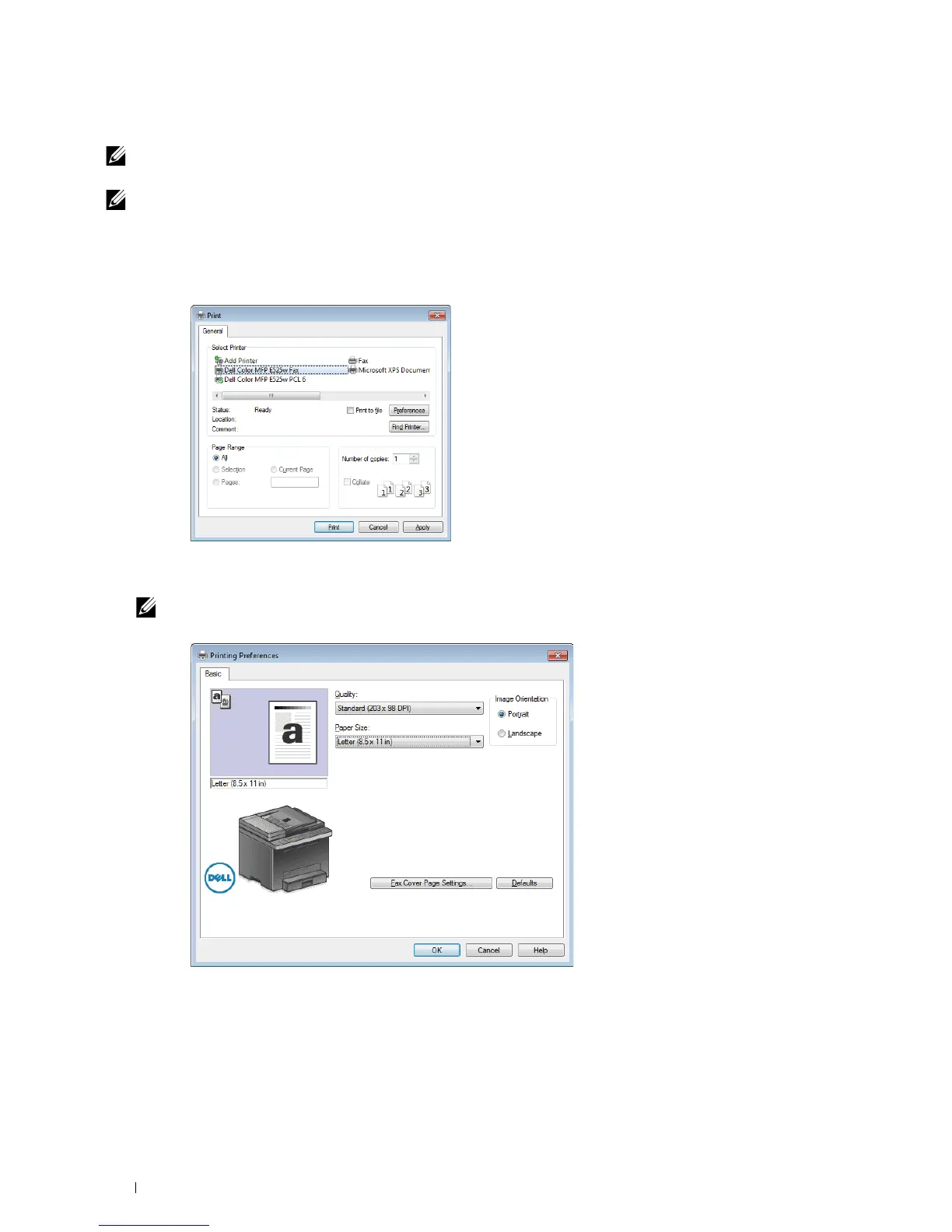
Open the print dialog box from the application, and then select
Dell Color MFP E525w Fax
.
3
Click
Preferences
.
4
The
Printing Preferences
dialog box appears. Specify the fax settings. For more information, click
Help
of the
driver.
NOTE:
The settings done here are only applied to a single fax job.
5
Click
OK
to close the
Printing Preferences
dialog box.
6
Click
Print
.
The
Set / Check Fax Transmission
: dialog box appears.












 To Next Page