232
Faxing
1
Open the file you want to send by fax.
2
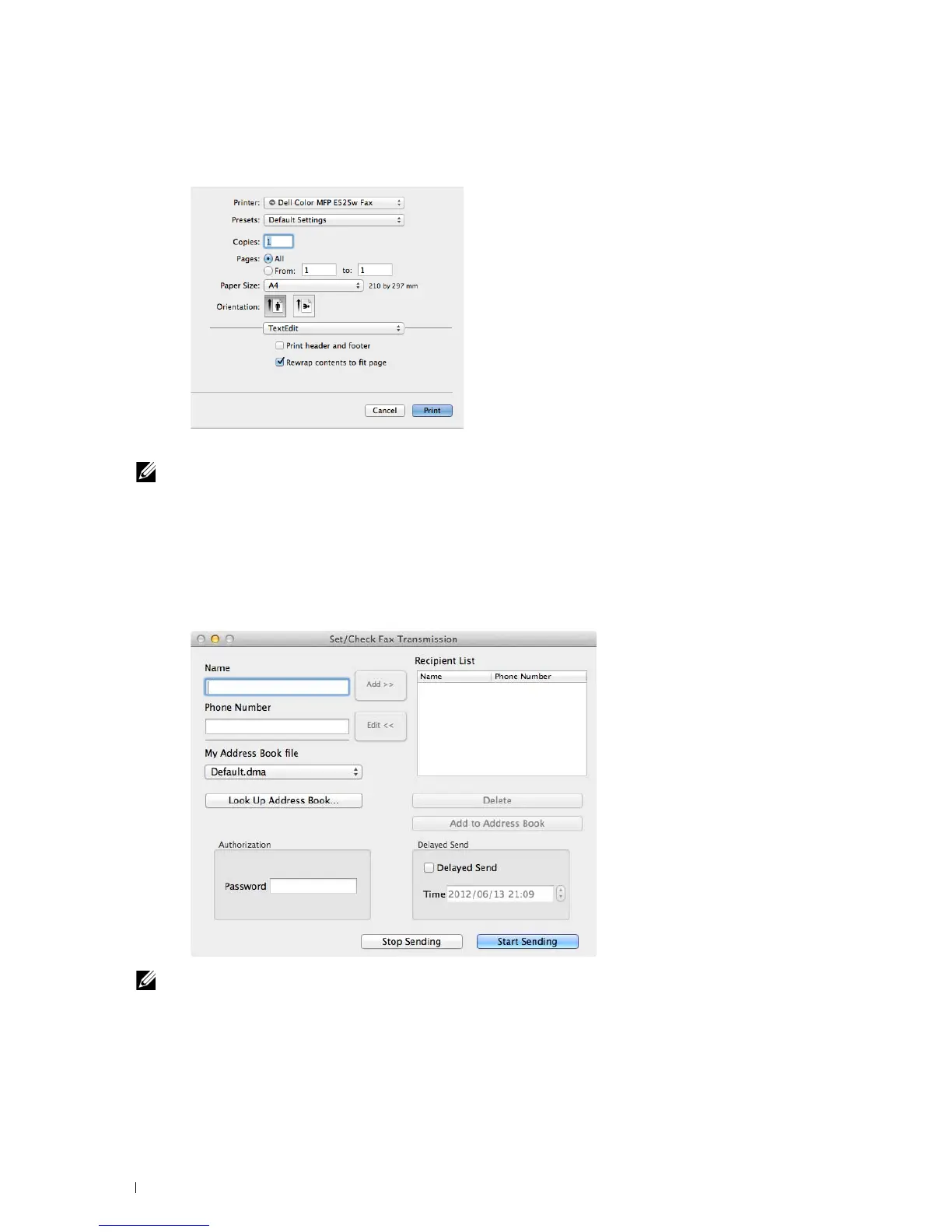
Open the print dialog box from the application, and then select
Dell Color MFP E525w Fax
.
3
Specify the fax settings.
NOTE:
The settings done here are only applied to a single fax job.
4
Click
Print
.
The
Set/Check Fax Transmission
dialog box appears.
5
Specify the destination for the recipient in one of the following ways:
• Enter a name and phone number directly.
• Select a recipient from the Phone Book saved on your computer.
NOTE:
Enter the password in the Password field in the Authorization area before sending a fax if the Fax service is locked
with a password.
6
Click
Start Sending
.












 To Next Page