Loading Paper
47
NOTE:
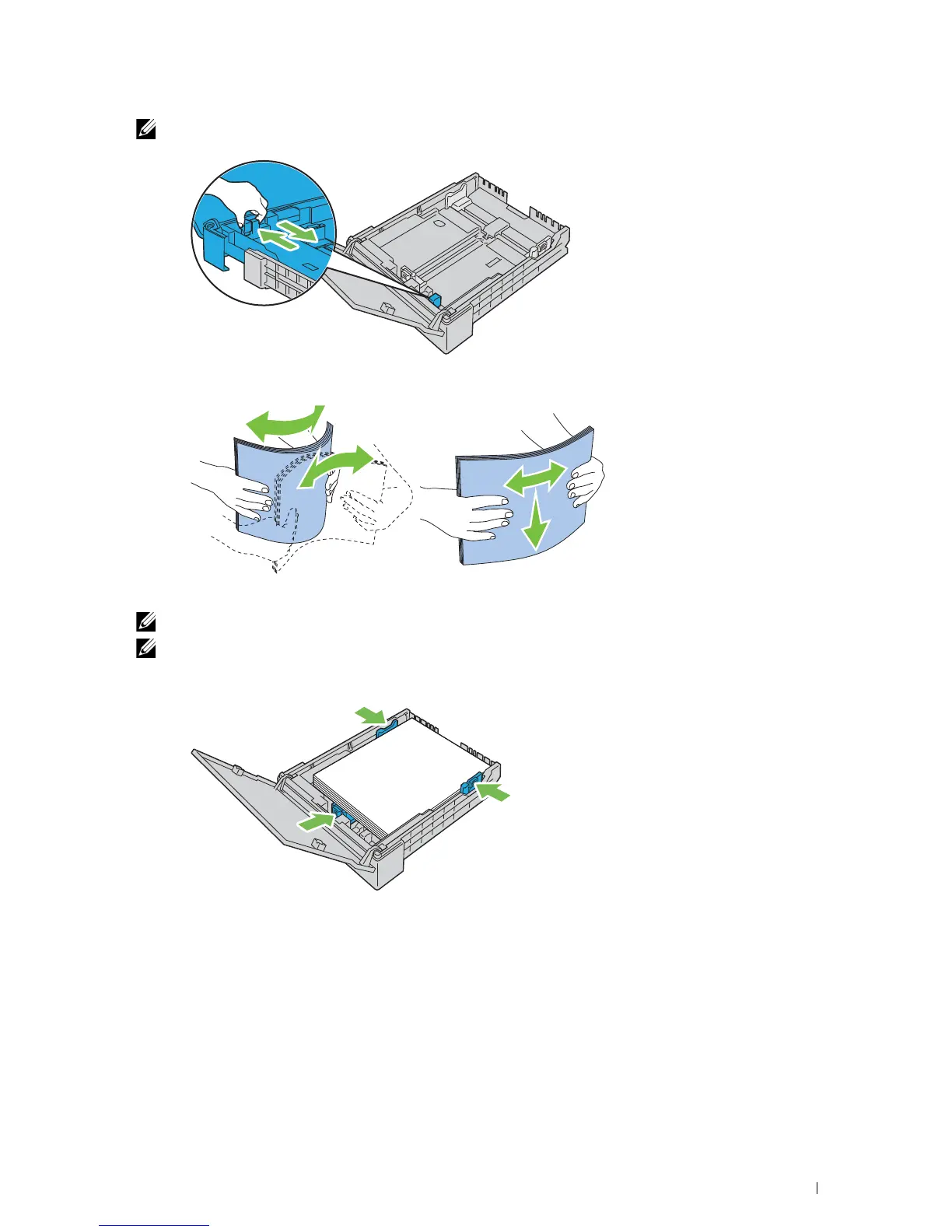
When loading legal size or user-specified print media, slide the extendable part of the tray while pinching the lever.
3
Before loading the print media, flex the sheets and fan them. Straighten the edges of the stack on a level surface.
4
Load the print media into the tray with the recommended print side facing up.
NOTE:
Do not exceed the maximum fill line in the tray. Overfilling the tray may cause paper jams.
NOTE:
When loading coated paper, load one sheet at a time.
5
Align the width guides and length guide against the edges of the print media.












 To Next Page