Latitude On™ Card: Dell Latitude E4300 Service Manual
file:///C|/Biz%20Client/2015/Lola%20(Defect%20Fix)/lat-on.htm[5/25/2015 11:14:08 AM]
Back to Contents Page
Latitude On™ Card
Dell™ Latitude™ E4300 Service Manual
Removing the Latitude On Card
Replacing the Latitude On Card
CAUTION: Before working inside the computer, read the safety information that shipped with the
computer. For additional safety best practices information, see the Regulatory Compliance Homepage on
www.dell.com at: www.dell.com/regulatory_compliance.
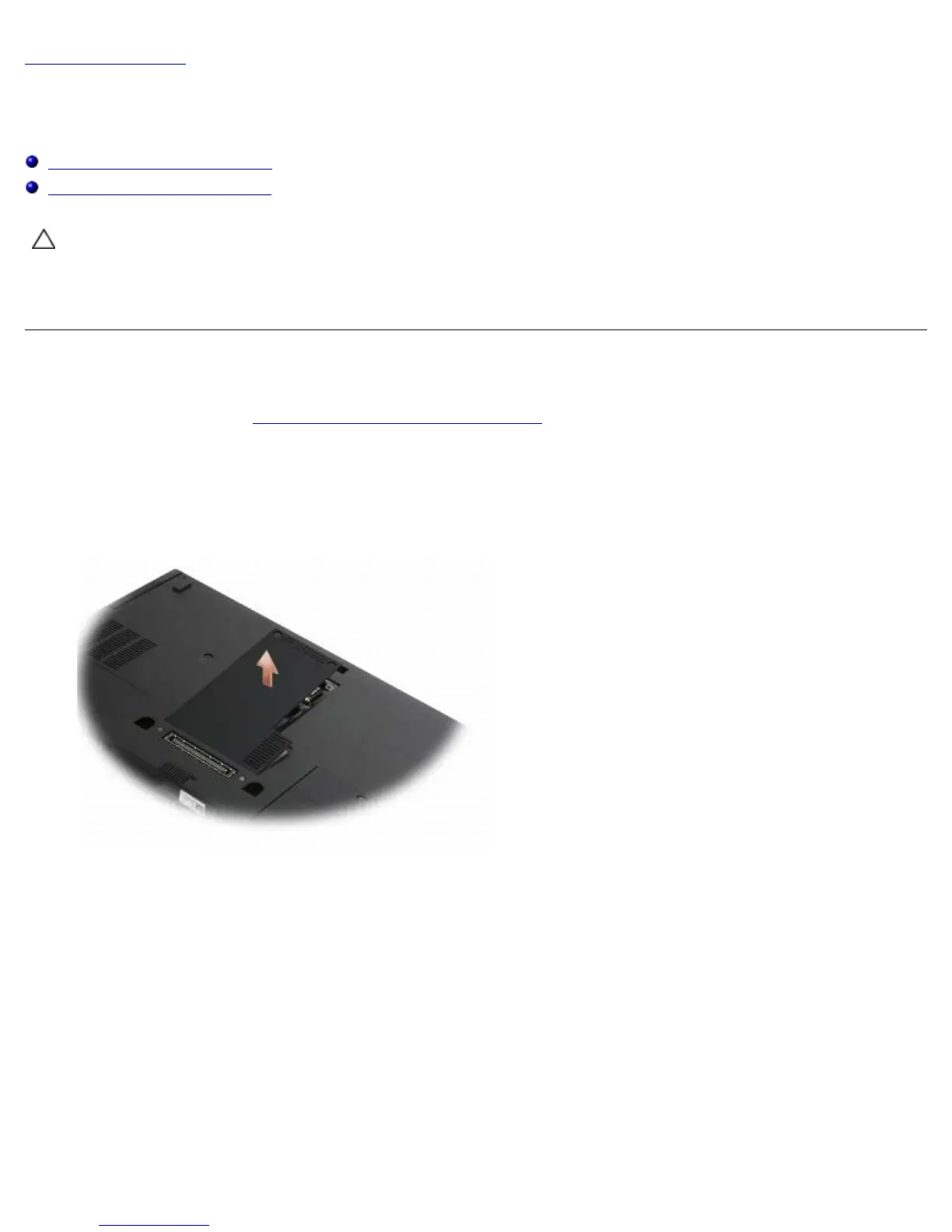
If you ordered a Latitude On™ card with your computer, the card is already installed. It is located in the memory bay.
Removing the Latitude On Card
1. Follow the instructions in What You Need to Know For Your Safety.
2. Close the display and turn the computer upside-down.
3. Loosen the captive screws on the memory cover.
4. Remove the memory cover.
5. Remove the M2 x 3-mm screw securing the Latitude On card to the computer base.
6. Disconnect the two Latitude On cables.















 To Next Page