Latitude On™ Card: Dell Latitude E4300 Service Manual
file:///C|/Biz%20Client/2015/Lola%20(Defect%20Fix)/lat-on.htm[5/25/2015 11:14:08 AM]
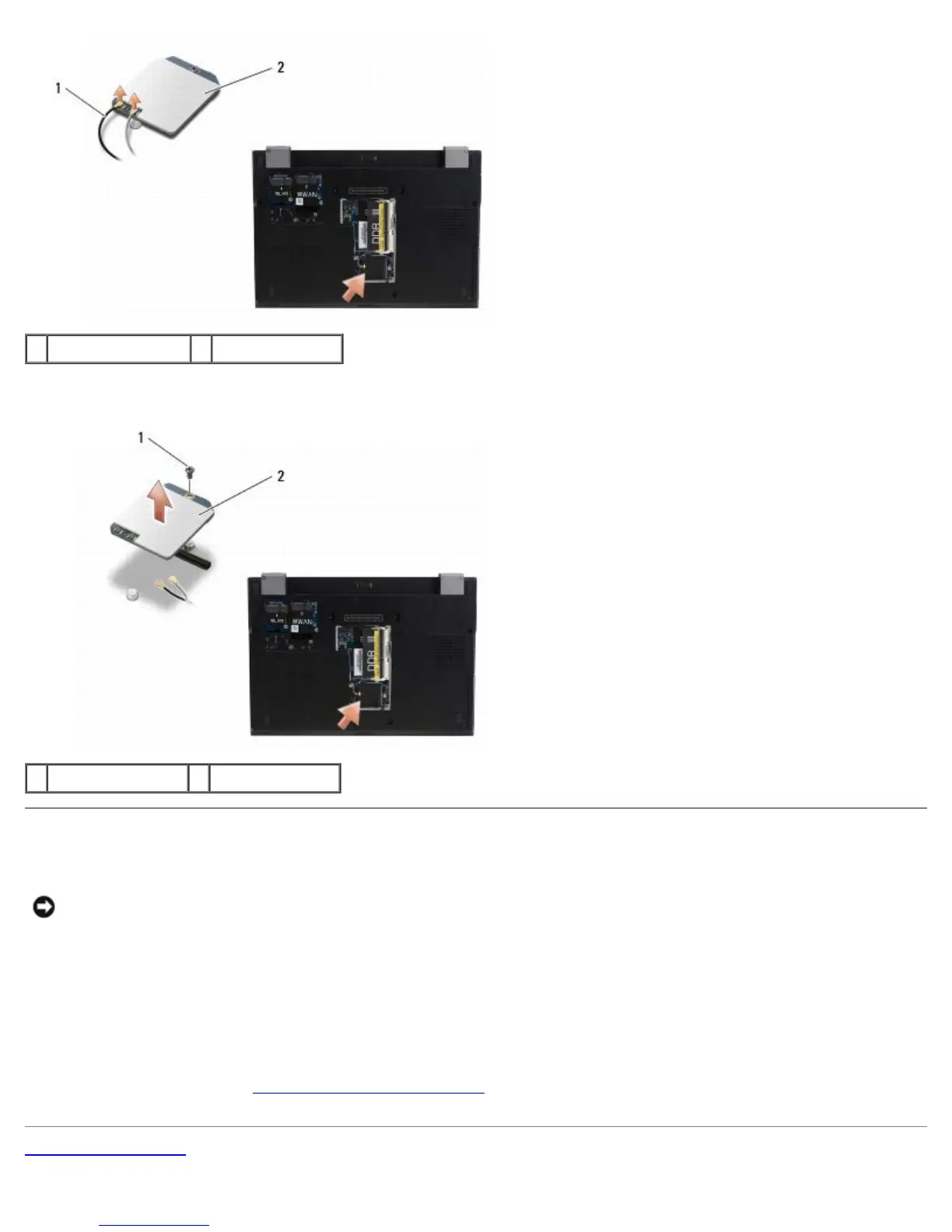
1 Latitude On cables 2 Latitude On card
7. Lift the Latitude On card from the memory bay.
1 M2 x 3-mm screw 2 Latitude On card
Replacing the Latitude On Card
NOTICE: Install the Latitude On card into the compartment shown in the above photograph. Do not install
it in any other location.
1. Reseat the Latitude On card in the memory bay.
2. Reconnect the black and gray Latitude On cables to their respective connectors, as indicated on the card.
3. Replace the M2 x 3-mm screw to secure the Latitude On card to the computer base.
4. Replace the memory cover.
5. Follow the instructions in After Working on Your Computer
.
Back to Contents Page















 To Next Page