System Board: Dell Latitude E4300 Service Manual
file:///C|/Biz%20Client/2015/Lola%20(Defect%20Fix)/sysboard.htm[5/25/2015 11:14:16 AM]
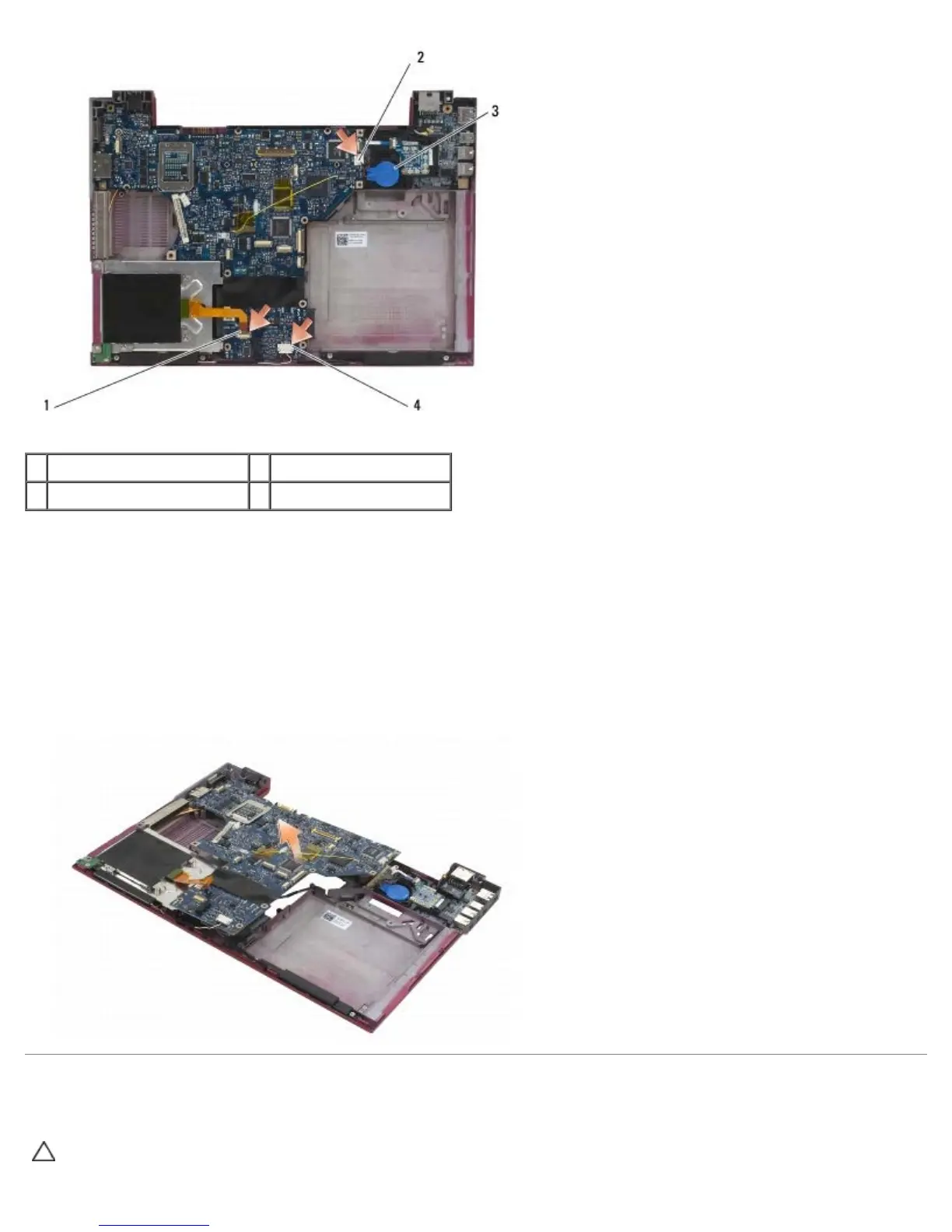
1 smart card cable 2 coin-cell battery
3 coin-cell battery connector 4 speaker assembly cable
12. Remove the four M2.5 x 5 screws and three M2 x 4-mm screws from the system board.
13. Remove the SD (Secure Digital) card (or blank) from the SD card slot at the front edge of the computer..
14. Remove the system board assembly:
a. With the front of the computer facing you, grasp the upper-right corner of the system board assembly and lift it
slightly; slowly ease the connectors out of their access holes on the back and side of the computer base.
b. Pull the system board assembly away from you toward the back of the computer to remove the system board
assembly.
Removing the Right I/O Card
CAUTION: Before working inside the computer, read the safety information that shipped with the
computer. For additional safety best practices information, see the Regulatory Compliance Homepage on















 To Next Page