Removing the Memory
1. Follow the procedures in
Before Working Inside Your Computer
.
2. Remove:
a) battery
b) base cover
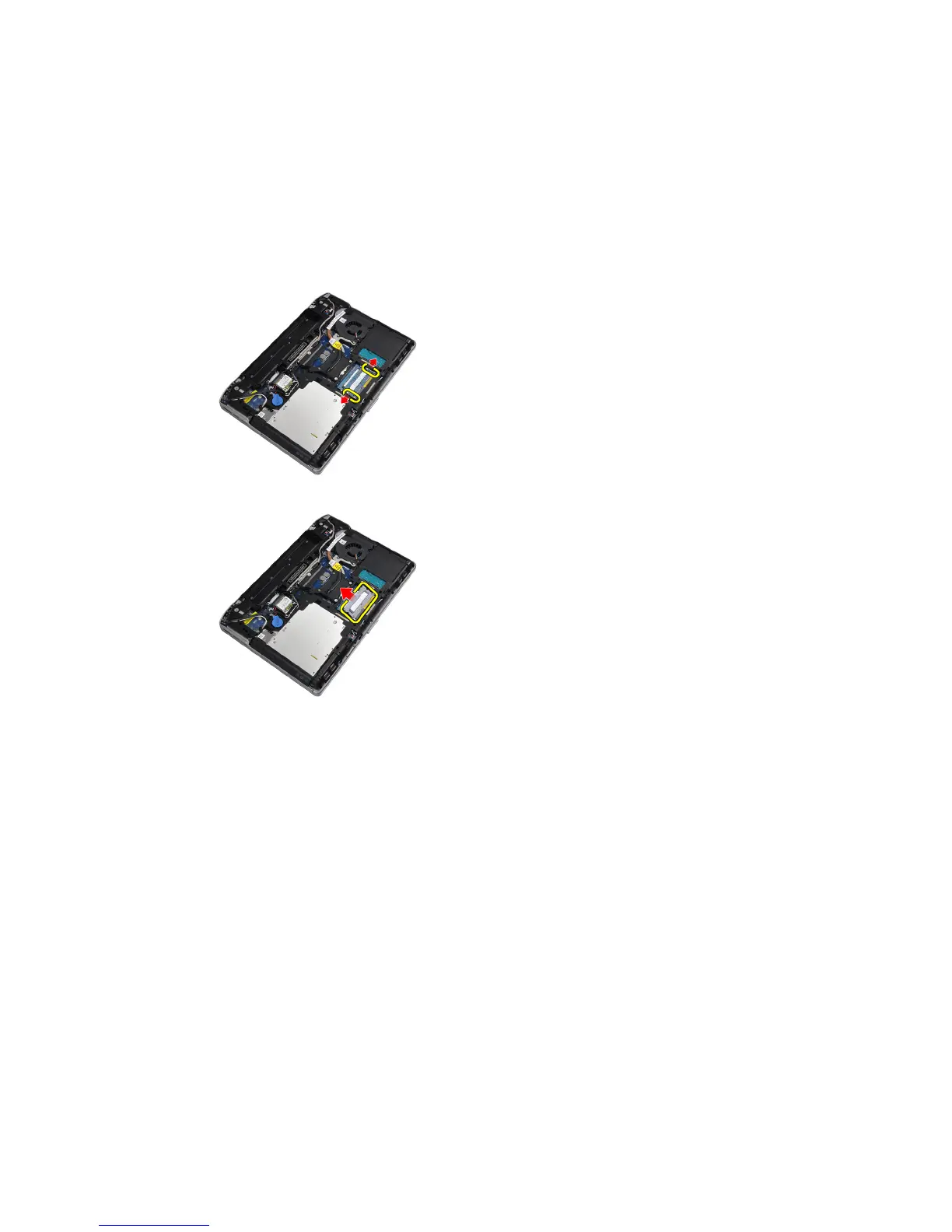
3. Pry the securing clips away from the memory module until it pops up.
4. Remove the memory module from its connector on the system board.
5. Repeat steps 2 and 3 to remove the second memory module.
Installing the Memory
1. Insert the memory module into the memory socket.
2. Press the securing clips to secure the memory module to the system board.
3. Install:
a) base cover
b) battery
4. Follow the procedures in
After Working Inside Your Computer
.
Removing the Wireless Local Area Network (WLAN) Card
1. Follow the procedures in
Before Working Inside Your Computer
.
2. Remove:
a) battery
b) base cover
23















 To Next Page