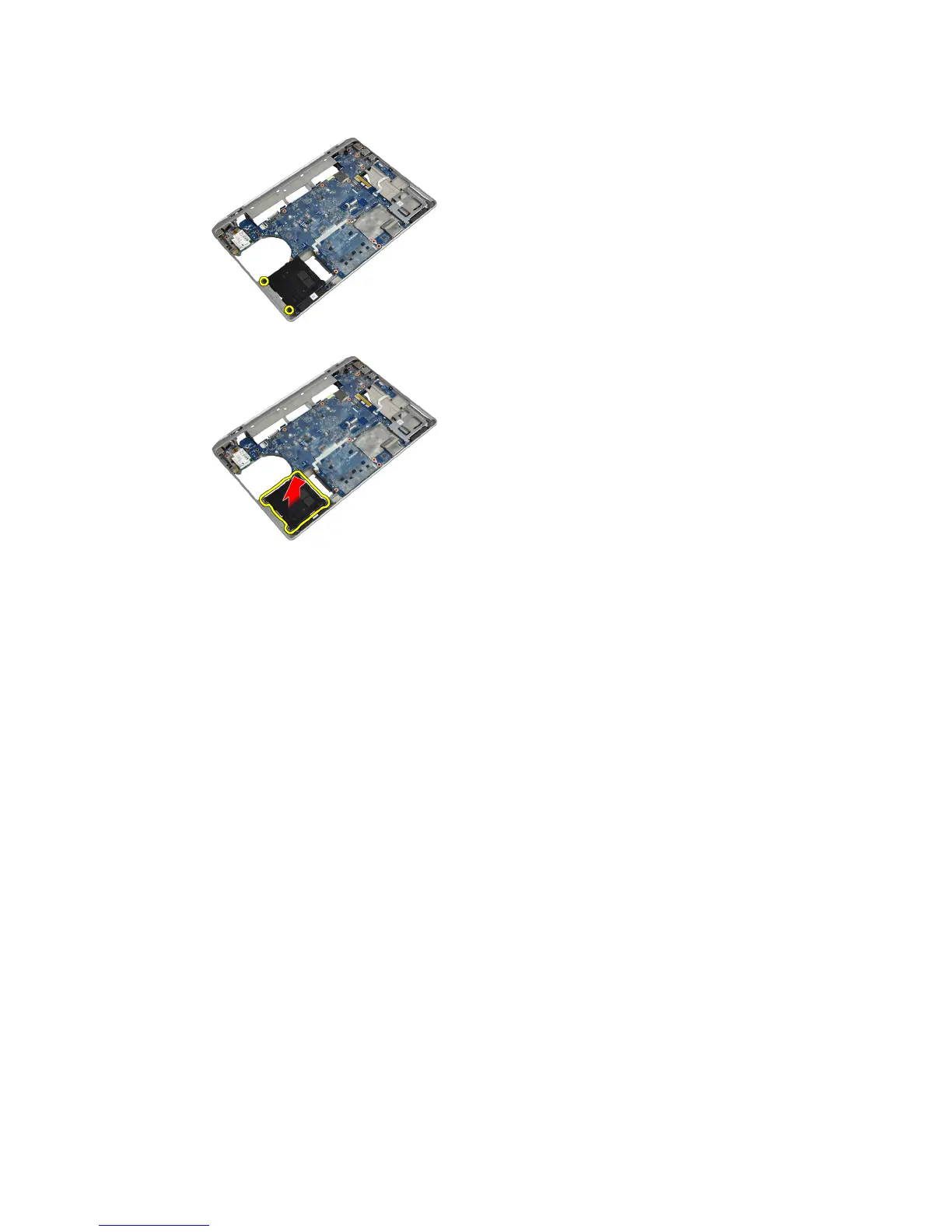
3. Remove the screws that secure the hard-drive support plate to the computer.
4. Lift the hard-drive support plate from the computer.
Installing the Hard-Drive Support Plate
1. Place the hard-drive support plate in its compartment.
2. Tighten the screws to secure the hard-drive support plate to the computer.
3. Install:
a) system board
b) ExpressCard cage
c) media board
d) palmrest
e) display assembly
f) keyboard
g) keyboard trim
h) hard drive
i) bluetooth card
j) base cover
k) battery
4. Follow the procedures in
After Working Inside Your Computer
.
41















 To Next Page