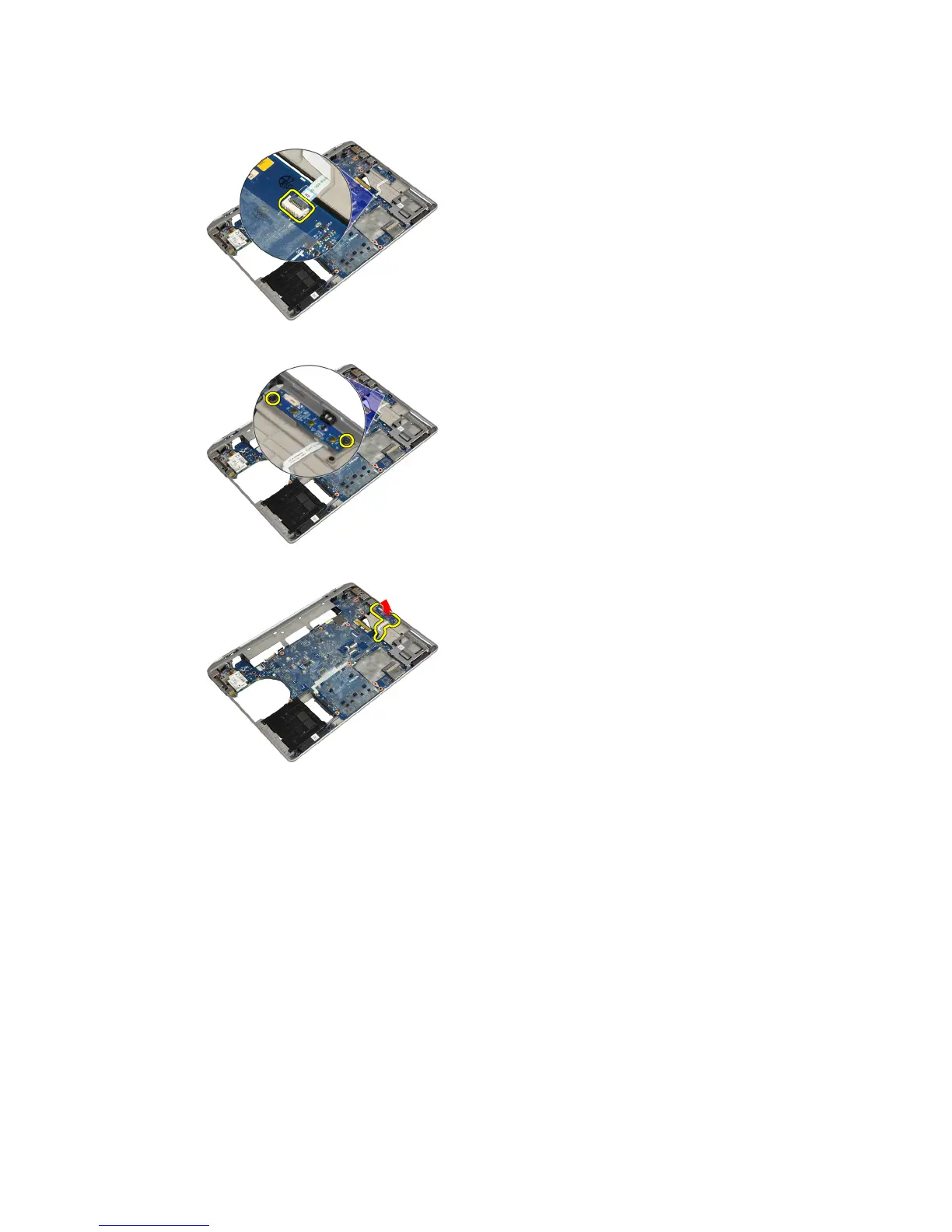
3. Disconnect the media board cable from the system board.
4. Remove the screws that secure the media board to the computer.
5. Remove the media board from the computer.
Installing the Media Board
1. Place the media board in its compartment.
2. Tighten the screws to secure the media board.
3. Connect the media board cable to the system board.
31















 To Next Page