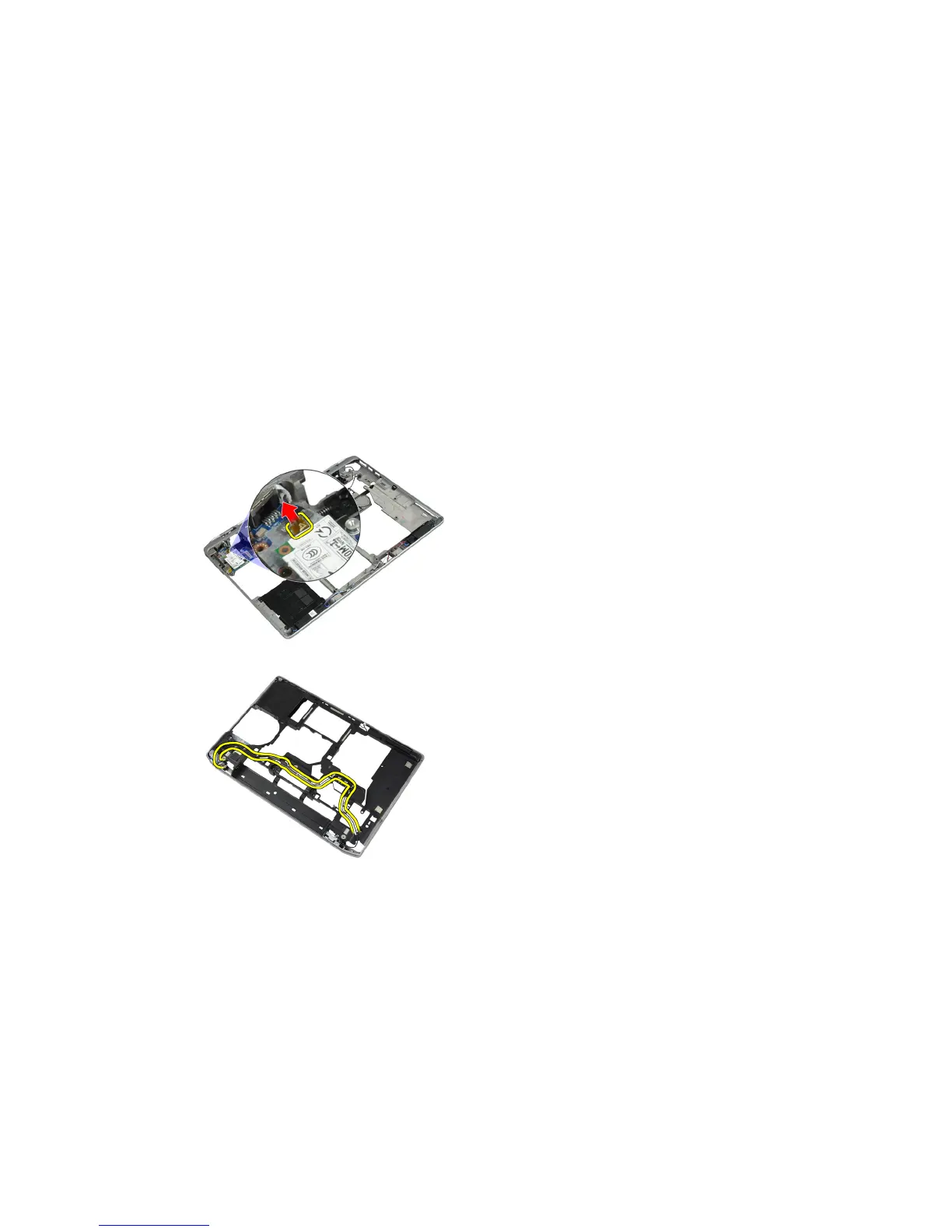
Removing the Modem Connector
1. Follow the procedures in
Before Working Inside Your Computer
.
2. Remove:
a) battery
b) base cover
c) hard drive
d) bluetooth card
e) keyboard trim
f) keyboard
g) display assembly
h) palmrest
i) media board (available in E6430/E6430 ATG only)
j) ExpressCard cage
k) system board
3. Disconnect the modem-card cable from the modem card.
4. Remove the modem cable from the routing channel.
37















 To Next Page