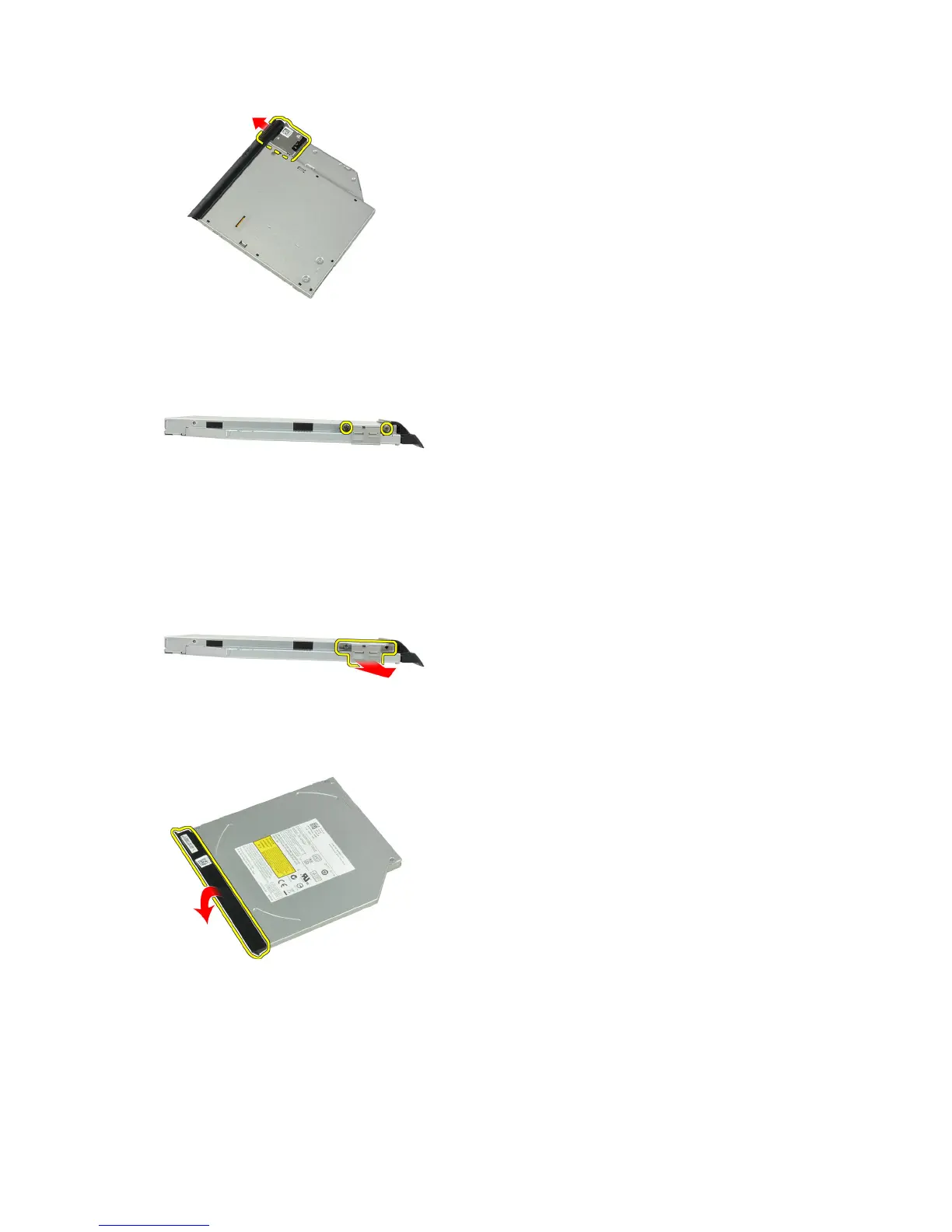
7. Remove the screws that secure the optical-drive latch bracket to the optical-drive assembly
8. Remove the latch bracket from the optical drive.
9. Remove the optical-drive door from the optical drive.
Installing the Optical Drive
1. Secure the optical-drive door to the optical drive.
2. Install the latch bracket to the optical drive.
20















 To Next Page