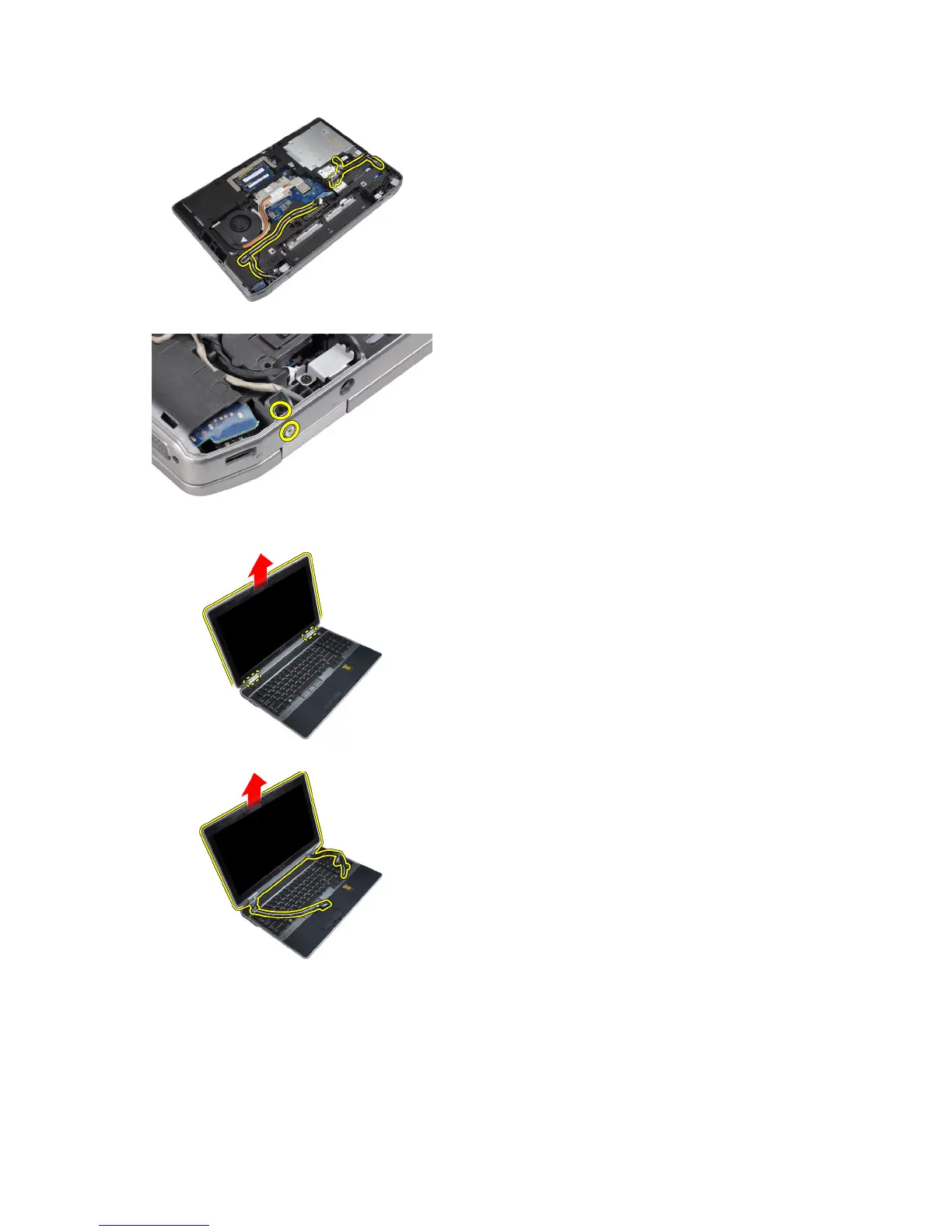
8. Remove the screws to release the display assembly on both sides.
9. Lift the display assembly and pull the LVDS and the antenna cables through the opening of the computer.
10. Remove the display assembly from the computer.
Installing the Display Assembly
1. Place the display assembly onto the computer.
2. Insert the LVDS and wireless antenna cables through the holes on the base chassis and connect them.
52















 To Next Page