EasyManua.ls Logo

Dell M5200 Medium Workgroup Mono Laser Printer - Page 161

Dell M5200 Medium Workgroup Mono Laser Printer
228 pages
Print Icon
To Next Page IconTo Next Page
To Previous Page IconTo Previous Page
Loading...
into place.
6.
Slide the standard tray back into the printer.7.
237 Paper Jam Check Duplex
NOTE: To resolve the message, you must clear all print media from the print media path.
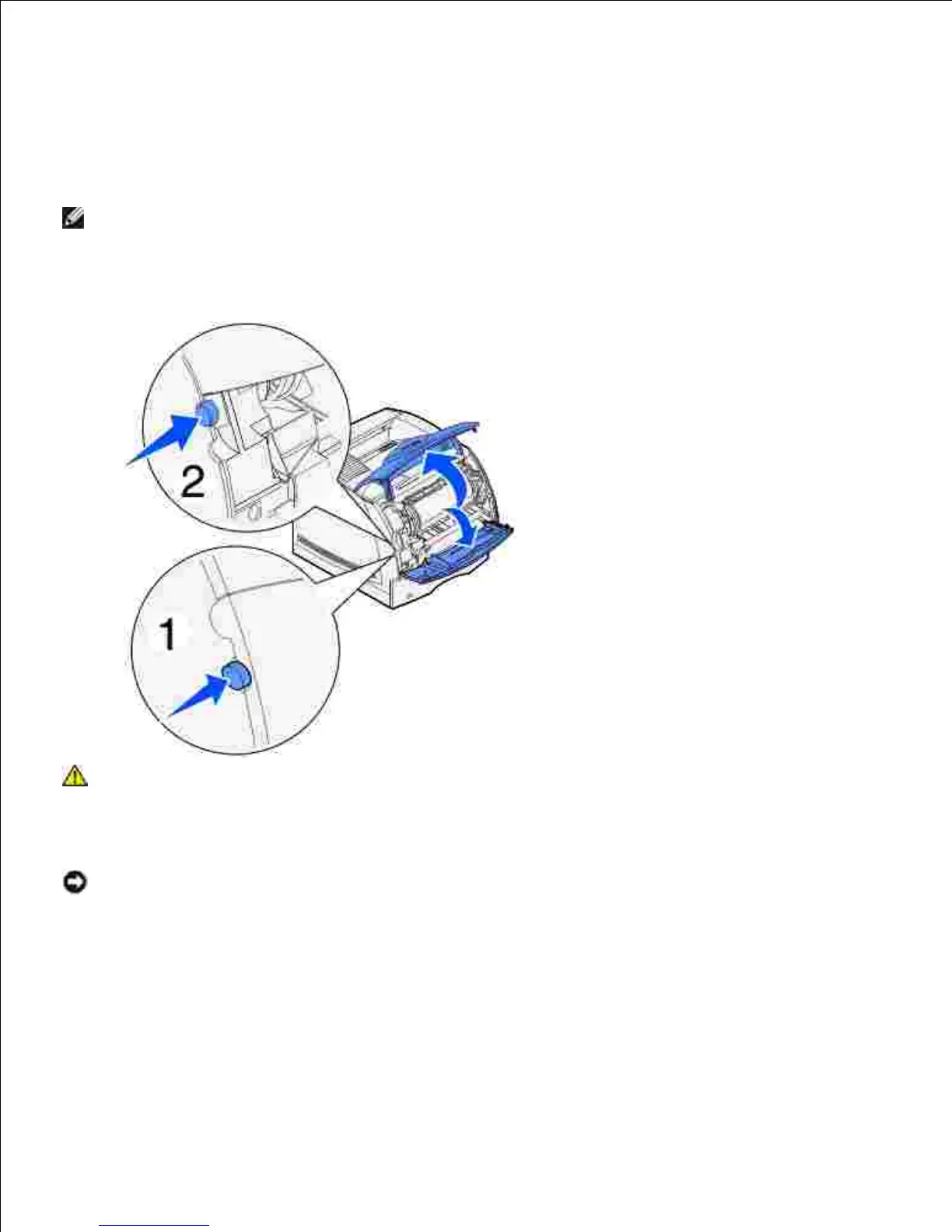
Press latch 1 to open the lower door. Press latch 2 to open the upper door.1.
CAUTION: The rear portion of the inside of the printer is hot.
While grasping the toner cartridge by the hand grip, pull the cartridge up toward the upper front door,
and then pull it straight out toward you.
2.
NOTICE: Never touch the photoconductor drum on the underside of the cartridge. Use the handhold
on the cartridge to avoid touching this area.

Table of Contents

Related product manuals